TL;DR / At a Glance: As of April 15, 2026, AmBank has enabled Apple Pay support for MyDebitcardholders. This partnership with PayNet allows users to make contactless payments through Malaysia’s domestic payment rails using iPhone and Apple Watch. Unlike previous credit-only integrations, this supports local debit transactions at all MyDebit-enabled terminals. Users can earn a one-time RM30 cashback by completing three transactions of at least RM30 within a month.
For a long time, the digital payment conversation in Malaysia felt divided. While Apple Pay has been available locally for a few years, it was primarily the domain of credit cardholders or those using international payment networks. If you relied on a standard debit card for your daily expenses, you likely felt left out of the seamless tap-to-pay experience.
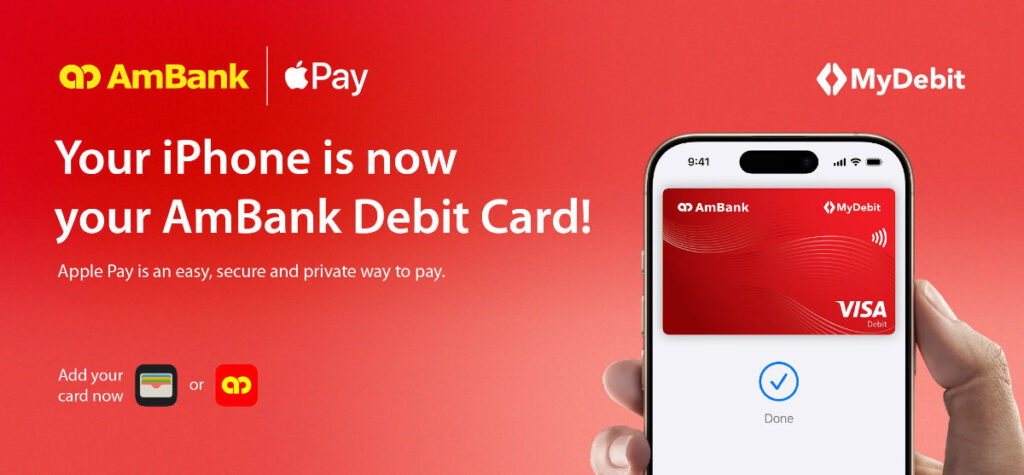
That changed today. AmBank, in a strategic partnership with Payments Network Malaysia (PayNet), has officially enabled Apple Pay support for the MyDebit network. This is a milestone for the local fintech scene, making AmBank the first bank in the country to bring Apple’s secure payment platform to Malaysia’s national payment rails.
The Significance of the MyDebit Integration
Most users might wonder why this matters if Apple Pay already existed. The answer lies in the infrastructure. Previously, Apple Pay transactions were processed via international networks. By integrating with MyDebit, AmBank and PayNet are ensuring that domestic transactions stay within the Malaysian ecosystem.
For you, the consumer, this means better reliability. MyDebit is the most widely accepted payment network in Malaysia, found everywhere from high-end retailers to your local neighborhood pharmacy and petrol kiosks. By bringing MyDebit into the Apple Wallet, the “Sorry, no credit cards” sign at smaller merchants is no longer an obstacle for Apple Pay users.
Security and Privacy as a Standard
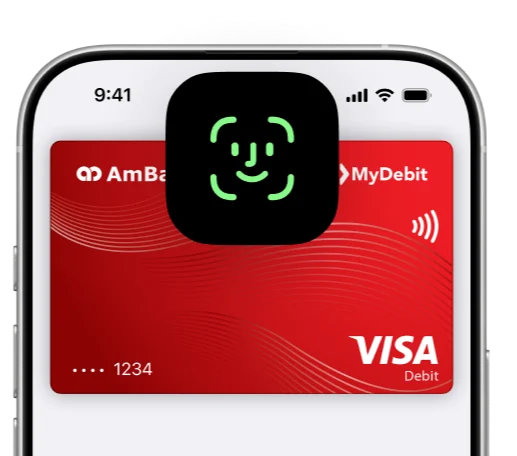
One of the most common concerns with digital wallets is security. AmBank and Apple have built this integration with a privacy-first approach. When you add your AmBank MyDebit card to Apple Pay, the system does not store your actual card number on the device or on Apple’s servers.
Instead, a unique Device Account Number is assigned and encrypted in the Secure Element—a certified, industry-standard chip designed to keep payment information safe. Every transaction is authenticated through Face ID, Touch ID, or your device passcode, coupled with a one-time dynamic security code. In short, it is significantly more secure than carrying a physical card that is susceptible to skimming or loss.
How to Set Up Your AmBank MyDebit Card
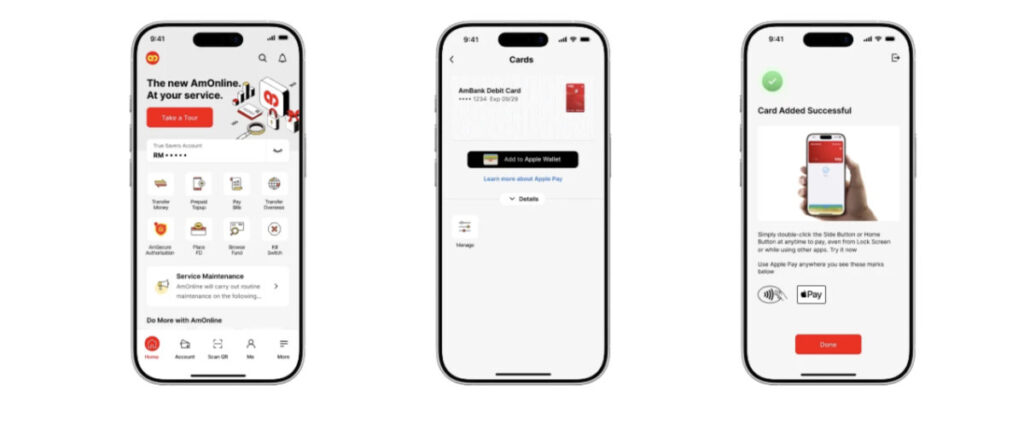
The setup process is designed to be frictionless. You have two primary ways to get started:
- Via the Apple Wallet App: Open the Wallet app on your iPhone, tap the “+” icon, and follow the prompts to scan your AmBank MyDebit card.
- Via the AmOnline App: AmBank has integrated the setup directly into their mobile banking app. Simply log in, find your debit card settings, and select “Add to Apple Wallet.”
Once added, the card works instantly across iPhone, Apple Watch, iPad, and Mac for in-store, in-app, and online purchases.
The RM30 Cashback Incentive
To celebrate the launch, AmBank is encouraging users to make the switch to digital with a limited-time cashback campaign. The requirements are straightforward:
- Make at least three (3) transactions using Apple Pay with your AmBank MyDebit card.
- Each transaction must be a minimum of RM30.
- Eligible users will receive RM30 cashback.
This offer is on a first-come, first-served basis, so if you are an AmBank cardholder, it pays—literally—to set this up sooner rather than later.
Final Thoughts
This move by AmBank is a clear signal that the Malaysian banking sector is moving toward a more inclusive digital future. By prioritising the MyDebit network, AmBank is proving that high-tech convenience shouldn’t be limited to credit card users. It is a win for domestic infrastructure, a win for local merchants, and most importantly, a win for the user experience.
Frequently Asked Questions (FAQ)
Can I use my AmBank MyDebit card with Apple Pay?
Yes. As of April 15, 2026, AmBank officially supports Apple Pay for all MyDebit cardholders. You can now add your AmBank debit card to your Apple Wallet for contactless payments at any terminal that accepts MyDebit.
How do I qualify for the RM30 cashback?
To earn the RM30 cashback, you need to complete three (3) separate transactions using Apple Pay with your AmBank MyDebit card within a single month. Each transaction must be for a minimum amount of RM30. This promotion is available on a first-come, first-served basis.
Is using MyDebit on Apple Pay more secure than using my physical card?
Yes, it is significantly more secure. When you pay with Apple Pay, your actual card number is never shared with the merchant or stored on Apple’s servers. Instead, a unique Device Account Number is used, and every payment requires biometric authentication via Face ID, Touch ID, or your device passcode.
Where can I use Apple Pay with my MyDebit card?
You can use it at any merchant that displays the MyDebit or contactless payment logo. This includes most major supermarkets, pharmacies, petrol stations, and F&B outlets across Malaysia.
Do I need to pay any extra fees to use Apple Pay?
No. AmBank does not charge any additional fees for adding your card to Apple Pay or for using it to make transactions.
How do I add my AmBank MyDebit card to my iPhone?
You can either open the Apple Wallet app and tap the “+” icon to scan your card, or simply log into the AmOnline app and select the “Add to Apple Wallet” option under your debit card settings.