TL;DR / At a Glance: The HKC Shield C83U60 is a world-first, 83.4-inch ultra-wide panoramic curved monitor outputting a massive 12K resolution, launched under their Computex 2026 “Win Beyond the Frame” showcase. While marketed as the ultimate single-panel corporate status symbol to eliminate dual-monitor bezels, it presents major hidden bottlenecks for professionals, including severe Windows and macOS high-DPI font-scaling issues and massive GPU bandwidth strain requiring uncompressed DisplayPort 2.1 or HDMI 2.1 FRL pipelines. Furthermore, its unyielding 83-inch width requires a physical desk depth of up to 1.5 meters to prevent immediate peripheral blind spots and chronic neck fatigue.
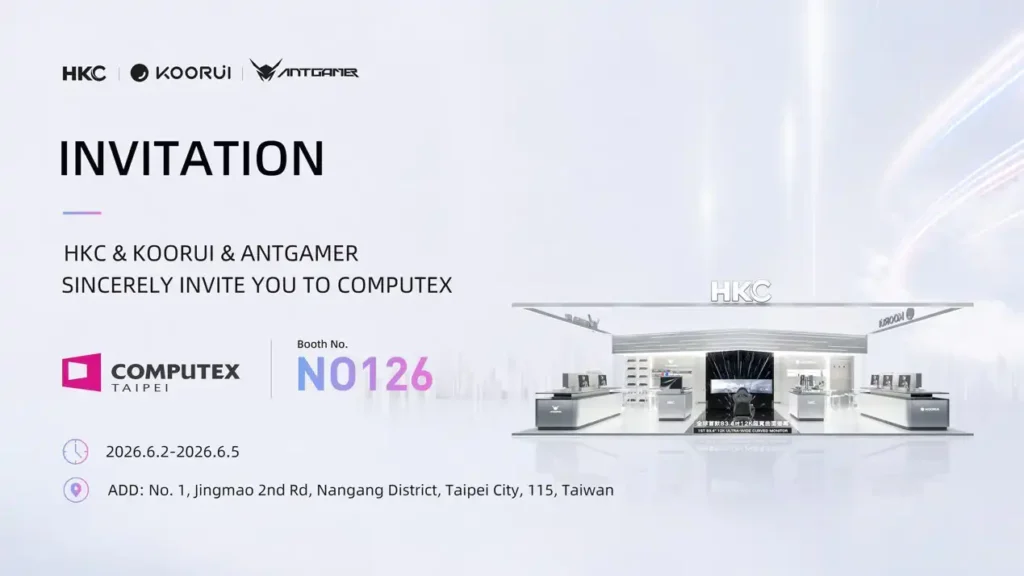
With Computex 2026 just days away, the initial tech salvos are officially being fired. Leading the charge is display giant HKC, alongside its sub-brands ANTGAMER and KOORUI, under their joint exhibition theme, “Win Beyond the Frame.” While the gaming divisions are chasing diminishing returns with absurd 1000Hz panels, HKC itself has dropped a bomb directly into the workspace productivity arena: the HKC Shield C83U60.
It is a staggering, 83.4-inch ultra-wide panoramic curved monitor outputting a massive 12K resolution.
Let’s be completely real for a second. Marketing teams are already pitching this behemoth as the ultimate corporate status symbol—the definitive single-panel replacement for clunky dual- or triple-monitor arrays that eliminates distracting structural bezels. But for tech-savvy professionals, programmers, and high-intent buyers, this display demands a severe reality check. Before you plan to gut your entire desk setup or drop your mid-year corporate bonus on this massive piece of desktop real estate, let’s do a Deep Dive into the hidden technical bottlenecks of running a 12K panoramic display in a real-world workflow.
The Scale Problem: Windows and macOS Font-Scaling Hell
The most immediate trap of deploying an ultra-high-resolution panoramic display isn’t the physical footprint; it is pixel density and operating system optimisation. When you push a resolution up to a horizontal 12K layout across an 83.4-inch panel, standard 1:1 interface elements become completely microscopic. Your hands and eyes are going to feel it instantly.
- The Windows Scaling Issue: Windows 11 handles high-DPI scaling notoriously poorly outside of standard integer jumps like 100% or 200%. Setting custom scaling percentages frequently results in blurry text renderings in specialized software developer IDEs, misaligned UI boundaries in database clients, and ugly layout clipping.
- The macOS Retina Bottleneck: If you plug a modern Apple Silicon Mac into a non-standard ultra-widescreen layout, macOS has to simulate a higher canvas resolution before downscaling it to fit the frame. This creates a hidden, massive tax on the Mac’s unified memory bandwidth, causing noticeable UI stutter during heavy multi-tasking—even on high-tier M4 Pro or M4 Max systems.
The Ergo-Depth Equation: Your Desk is Simply Too Shallow
Mainstream tech media love to showcase massive curved monitors sitting on clean, minimal floating desks. What they completely omit is basic human spatial ergonomics. An 83.4-inch display with a pronounced curved panoramic radius requires massive physical depth to achieve a proper viewing distance.
If you tried to subject this panel to a rigorous Mamak Test equivalent of a cramped, chaotic workspace, the setup immediately falls apart.
- The Neck-Strain Radius: To take in a panoramic display of this width without constantly twisting your neck back and forth like you are watching a tennis match, your eyes need to sit at least 1.2 to 1.5 meters away from the center apex of the panel.
- The Office Desk Reality: The standard office or standing desk in modern apartments and commercial offices measures just 60cm to 80cm in depth. If you clamp the Shield C83U60 to a standard desk, the outer edges of the display will literally sit in your peripheral blind spots, forcing continuous lateral neck rotation. Over an 8-hour coding or editing session, this transforms a premium productivity tool into a literal posture hazard.
The GPU Pipeline: DisplayPort 2.1 and HDMI 2.1 Limitations
Pumping a raw 12K image requires massive display bandwidth pipeline capability. Many high-earning tech professionals assume their corporate-issued laptops can drive any display on the market via a basic USB-C hub. That assumption is completely dead wrong here.
To drive 12K horizontal pixels without degrading color purity down to a muddy 4:2:0 chroma subsampling profile, your host machine must support true DisplayPort 2.1 or fully uncompressed HDMI 2.1 Fixed Rate Link (FRL) protocols.
If you attempt to drive this monitor using a premium corporate laptop that relies on an older integrated GPU or older Thunderbolt configurations, the display will aggressively throttle. You will either be capped at an unusable, eye-straining 30Hz or 60Hz refresh rate, or you will have to deal with aggressive Display Stream Compression (DSC) artifacts that compromise the razor-sharp font clarity essential for text-based professional work.
Technical Performance Matrix
Based on the official pre-Computex 2026 data sheets, here is how the technical profile of this new display category shapes up:
HKC Workspace Ecosystem Profile
| Core Engineering Metric | Specification Profile | Operational Workspace Impact |
| Panel Size / Form Factor | 83.4-inch Panoramic Curved Screen | Replaces twin 43-inch setups, but demands an absolute minimum desk width of 2 meters. |
| Native Resolution Class | Horizontal 12K Layout | Extreme real estate for timelines and spreadsheets, but requires specialised OS scaling. |
| Productivity Targeting | High-end simulation, advanced engineering, pro-creation | Built to capture corporate workspace upgrade cycles. |
| Ecosystem Comps | Mini-LED / QD-OLED alternatives | Accompanied by HKC’s secondary RGB-MiniLED lines (Apex 32U165VD) for strict colour-accurate HDR mastered setups. |
The Analyst Verdict: Wait for the Showcase Floor Reviews
There is no denying that the HKC Shield C83U60 represents an incredible milestone in raw panel manufacturing. It proves that factories can now yield massive, seamless panoramic sheets of high-resolution silicon without suffering catastrophic defect rates.
But as an outright purchase for a high-performance productivity setup, it is a high-risk gamble. Unless your workflow specifically demands an unbroken canvas for sprawling linear timelines or flight simulation environments—and you possess a deep premium desk paired with a top-tier dedicated GPU setup—this 12K beast could easily become an ergonomic and technical bottleneck.
Other Little Things
1. RGB-MiniLED Mastery
Alongside the 83-inch giant, HKC is showcasing two premium RGB-MiniLED monitors: the 32-inch Apex 32U165VD and the 27-inch Apex 27U165D. By utilizing independent RGB light control, these panels are engineered to completely eliminate the annoying halo effect while massively boosting color purity. It is an ideal layout for colour-accurate HDR content creation where large-format panoramic screens fail.
2. The 1000Hz Diminishing Returns
HKC’s gaming arm, ANTGAMER, is flexing hard for competitive esports with the ANT25ASF, a 24.1-inch monitor running at an absurd 1000Hz refresh rate at 1K resolution. While the fluid motion is a technical marvel, the jump from 360Hz to 1000Hz offers clear diminishing returns for the average consumer, demanding massive frame generation workloads from your GPU just to notice a fractional shift in response times.
3. Smart Displays Take the Frame
HKC is also sliding into the smart workplace ecosystem with the launch of the Shield 27H180. It is a 27-inch 5K smart display embedded with native AI features designed to optimize video conferencing layouts and manage ambient office glare intelligently, offering a much more practical, plug-and-play desktop solution for corporate professionals who do not need a massive 83-inch curved footprint.
Computex 2026 takes place from June 2 to June 5, 2026. The premier global technology and AI exhibition is being held at the Taipei Nangang Exhibition Center (TaiNEX) in Taipei, Taiwan.