Samsung Tab S11 Ultra Review: Gorgeous Screen, Big Ambition, Familiar Flaws
Let’s be honest, tablets have been stuck in a weird space for years. They’re too big to be a phone and not quite powerful or practical enough to replace a proper laptop. But every so often, a brand like Samsung steps in to prove that maybe, just maybe, the dream isn’t dead yet.
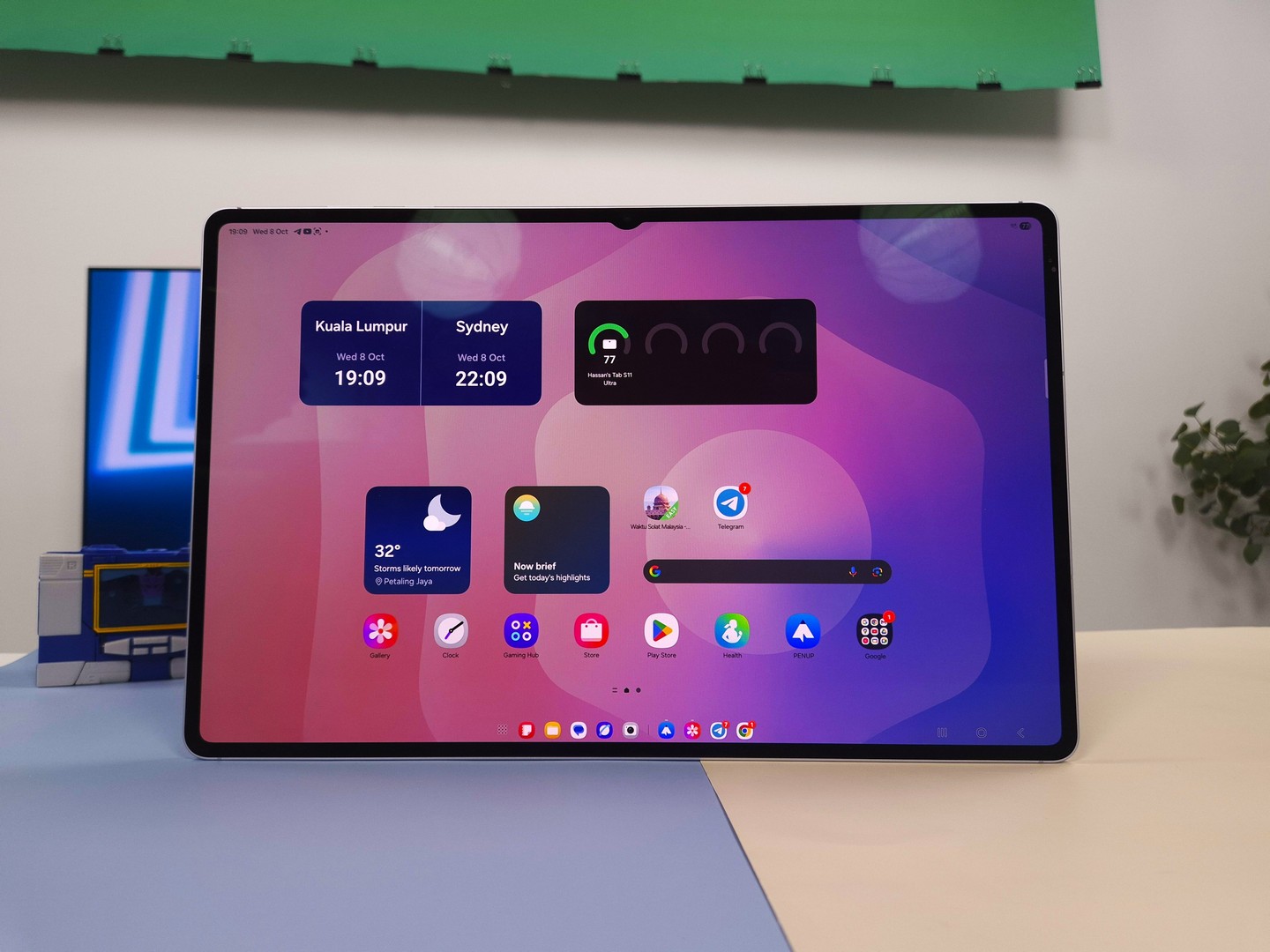
Enter the Samsung Galaxy Tab S11 Ultra: a massive, polished, and unapologetically premium machine that pushes Android tablets closer to the “laptop replacement” dream than ever before. It’s stunning, powerful, and incredibly refined. But does it truly fit into your daily workflow, or is it still a high-end luxury for casual use?
Design and Build
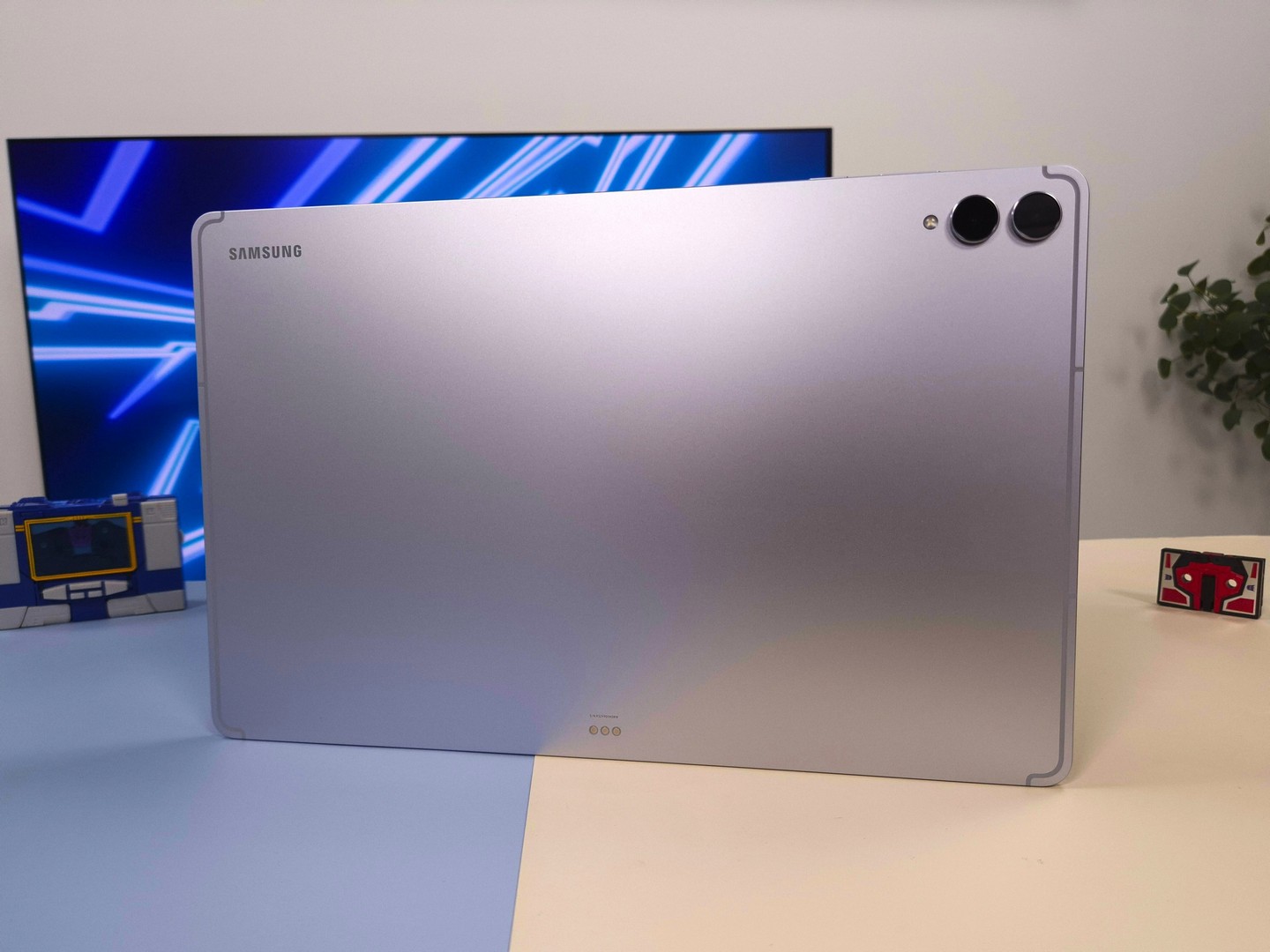
Samsung didn’t reinvent the wheel here, but it didn’t have to. The Samsung Galaxy Tab S11 Ultra looks and feels like the kind of device that deserves its Ultra badge. It’s made from a solid slab of aluminium, with impossibly thin edges and a smooth matte finish that makes every other tablet feel a little cheap.
At 5.4mm thin, it’s thinner than most smartphones and feels almost unreal when you pick it up. You’ll appreciate that minimalism when using it on a desk, but holding it up for long stretches can get tiring, especially with that 14.6-inch display. It’s wide, expansive, and great for productivity, but definitely not a one-handed device.
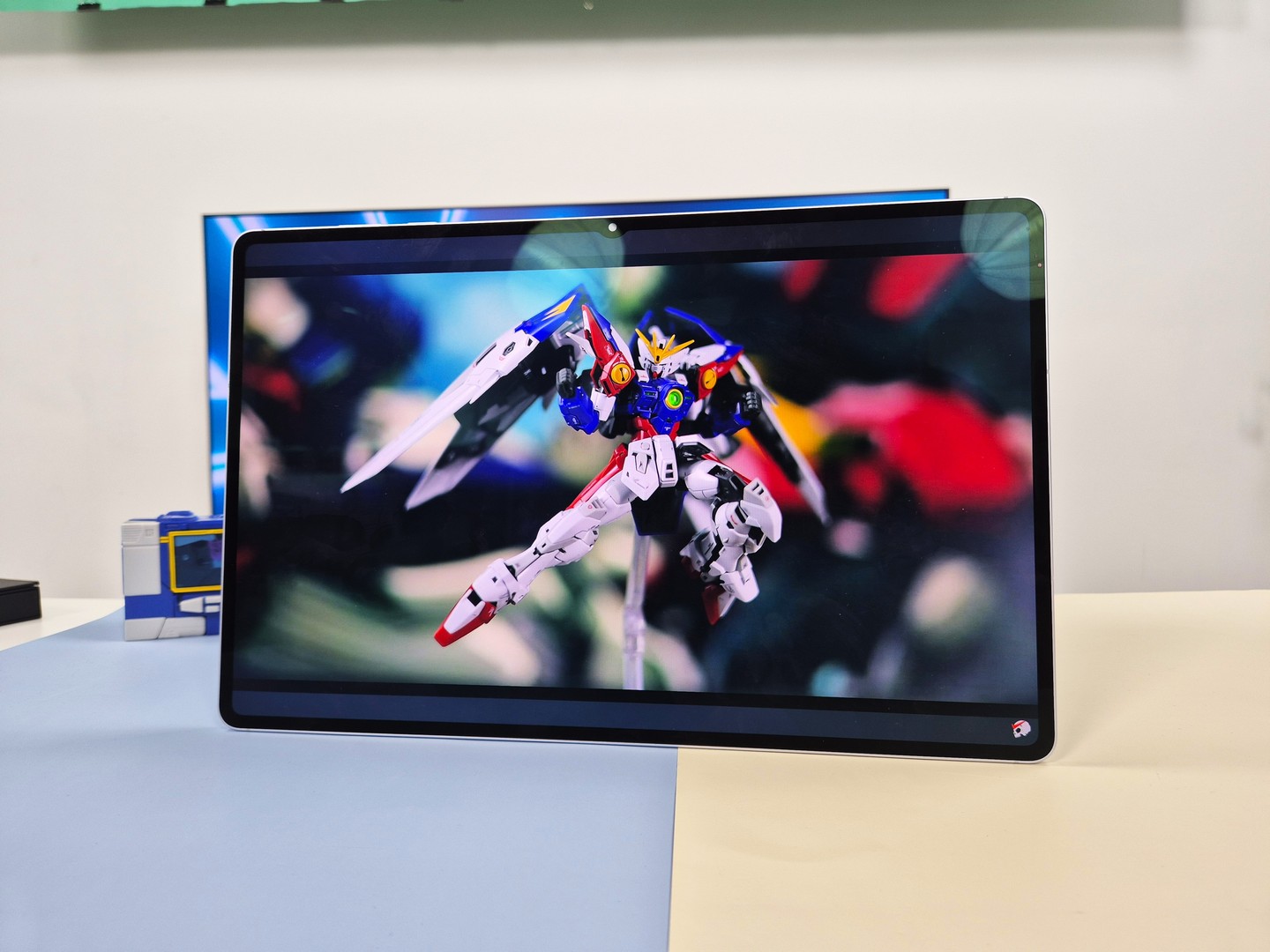
The bezels on the Samsung Galaxy Tab S11 Ultra are just slim enough to look modern without making accidental touches an issue. You’ll find the usual magnetic strip at the back for the S Pen, but unlike last year’s model, it’s easier to align and snap into place. The camera island is more subtle this time, still dual-lens, but flatter and cleaner overall.
It’s an elegant design that screams premium from every angle. My only gripe? The size. It’s a gorgeous device that’s sometimes too big for its own good, unless you always use it docked or propped up. It’s not the most portable thing around. It’s as if Samsung built a tablet that’s just slightly too big for normal tablet behaviour.
Display
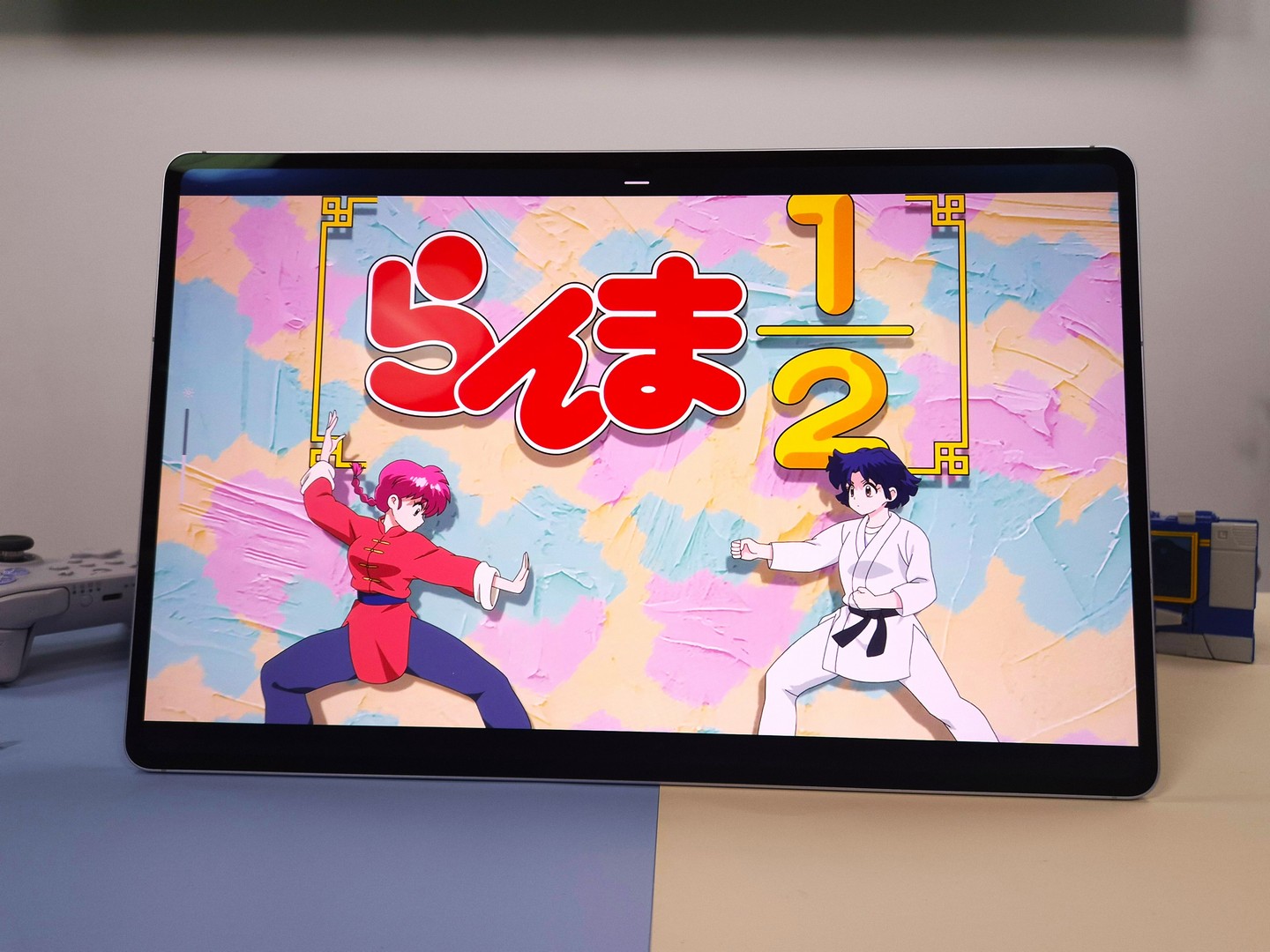
This is where the Samsung Galaxy Tab S11 Ultra shines, literally. The 14.6-inch Dynamic AMOLED 2X panel is one of the best displays you’ll find on any device today. It’s big, bright, and buttery smooth at 120Hz. Watching 4K HDR content looks incredible, with vivid colours and perfect blacks that only AMOLED can deliver.
Samsung’s new anti-reflective coating actually makes a difference, especially under Malaysia’s bright daylight or harsh office lighting. Even when I took it outdoors, the screen stayed usable, though like all glossy panels, it’s still prone to fingerprints.
Out of the box, the colours lean a little too vibrant, but switching to Natural mode gives you a better balance for photo editing or design work. For creatives, this screen is a dream canvas, with ample room for sketching, note-taking, or precision editing.
Performance
The Samsung Galaxy Tab S11 Ultra runs on the MediaTek Dimensity 9400+, and it’s an absolute beast. Everyday tasks like browsing, streaming, and multitasking run flawlessly. Apps open instantly, animations are smooth, and it feels effortlessly fast.
I ran a few stress tests and noticed that under heavy load but it never became uncomfortably hot. MediaTek’s thermal control is clearly doing its job, keeping performance stable even during long creative sessions.
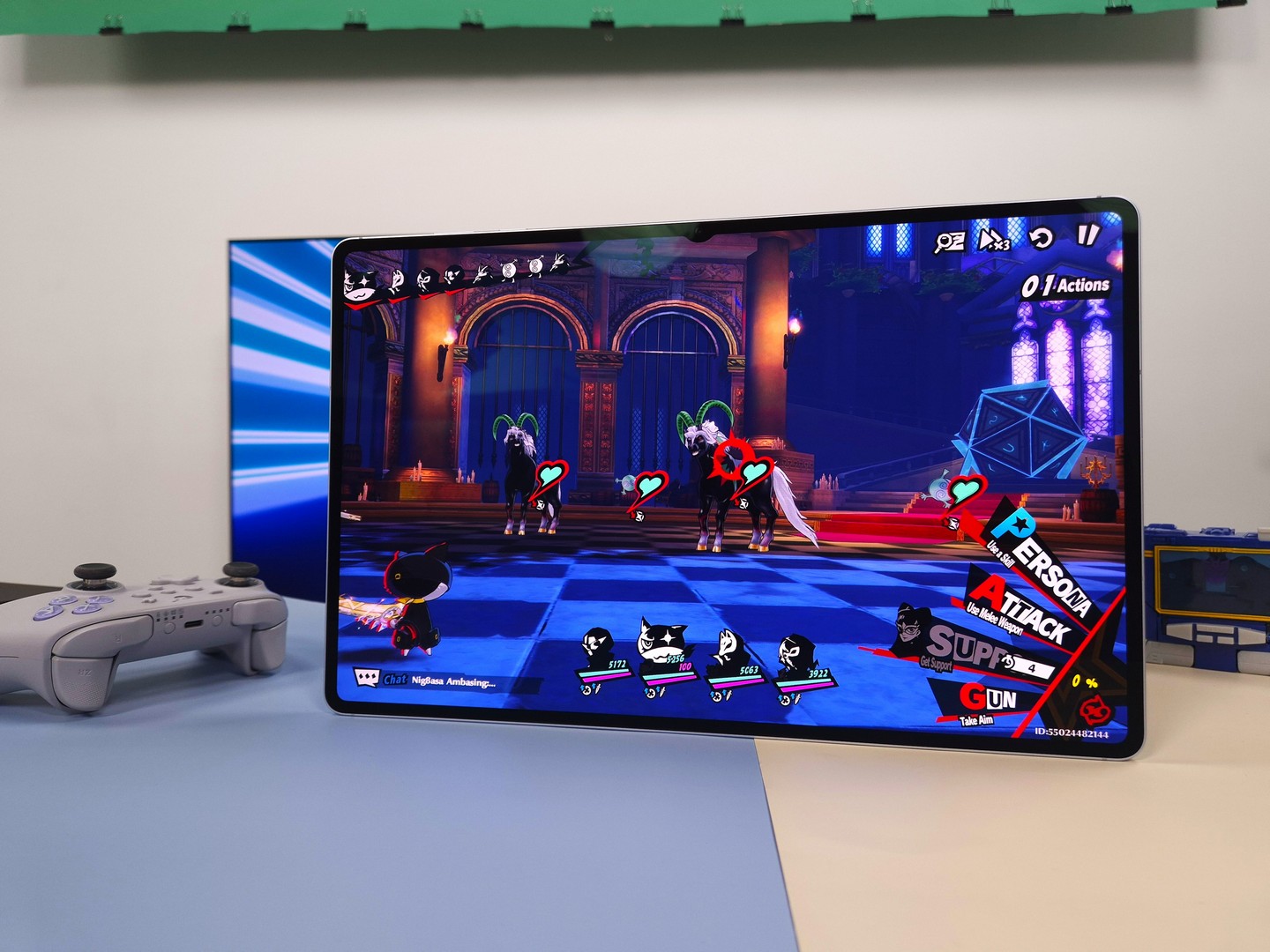
Gaming is equally impressive. Genshin Impact, Persona 5: The Phantom X, and Call of Duty: Mobile all run at high settings without noticeable frame drops. This chip delivers desktop-level performance in a tablet form. The Dimensity 9400+ delivers the kind of smoothness that finally makes Android tablets feel professional.
For power users, Samsung’s DeX Mode makes full use of the hardware. It’s smooth, stable, and more reliable than before. You can run multiple windows, drag and drop files, and even connect an external monitor, all without lag. It’s not a full laptop replacement, but it’s the closest Android has ever been.
Software and Features
The Samsung Galaxy Tab S11 Ultra ships with Android 16 and One UI 8, and this is the cleanest, most refined version of Samsung’s interface yet. Everything feels cohesive and thoughtfully arranged for the large screen.
Samsung has also promised seven years of OS and security updates, which is a big deal, especially in Malaysia, where tablets tend to outlive phones. This means your Samsung Galaxy Tab S11 Ultra should stay relevant for the better part of a decade.
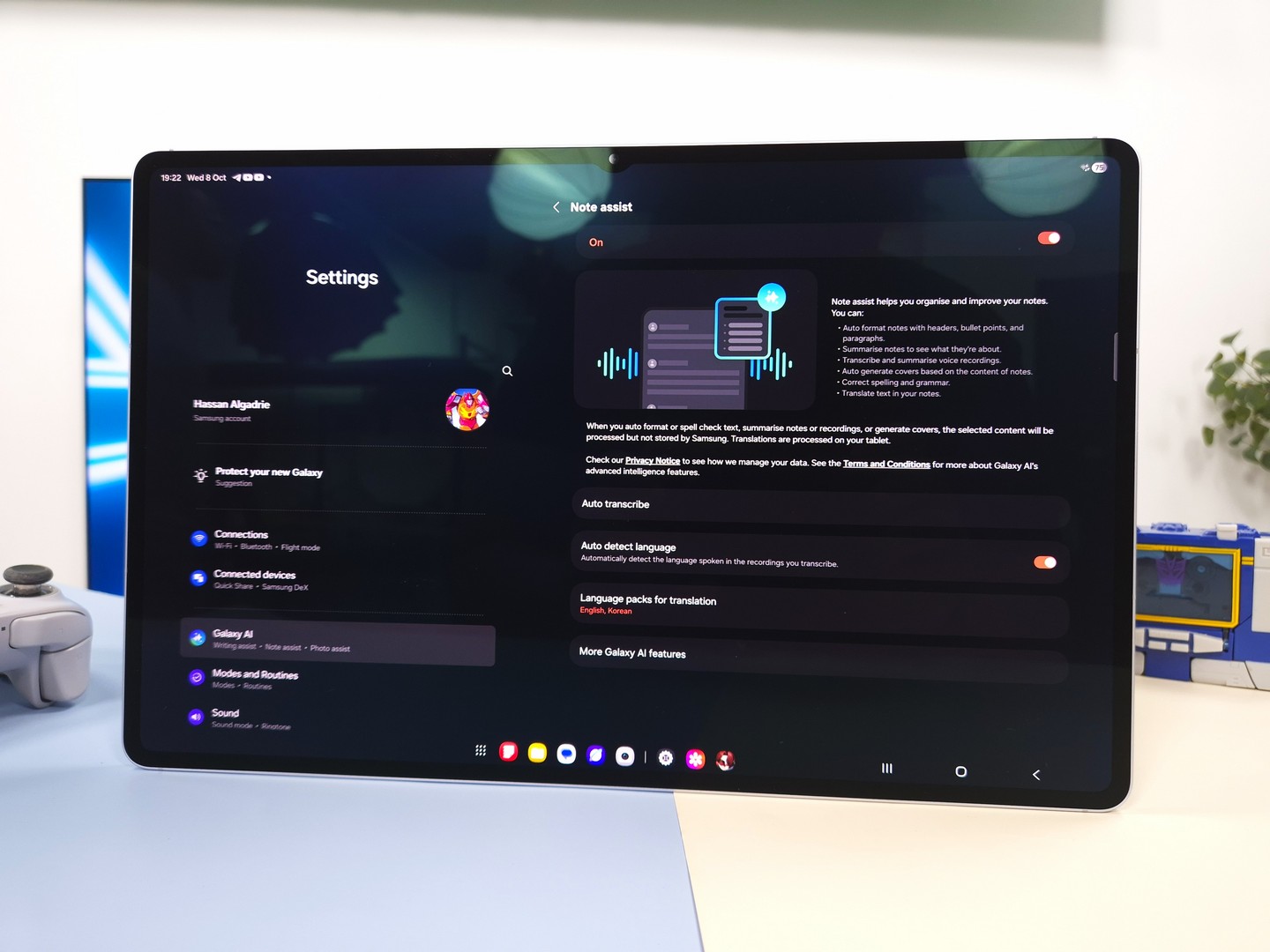
AI is a big part of the experience this year. You get Galaxy AI tools like Circle to Search, Note Assist, and Live Translate, all baked right into the system. I found Note Assist genuinely useful; it can summarise long handwritten notes, clean up formatting, and even suggest titles. Live Translate also works surprisingly well during video calls.
DeX mode deserves its own mention. It’s more stable than ever, with smoother window transitions and better compatibility with external displays. When you connect the Samsung Galaxy Tab S11 Ultra to a keyboard and mouse, it turns into a full desktop environment with resizable windows, a taskbar, and drag-and-drop file management. It’s genuinely useful for productivity, typing documents, editing slides, or managing spreadsheets.
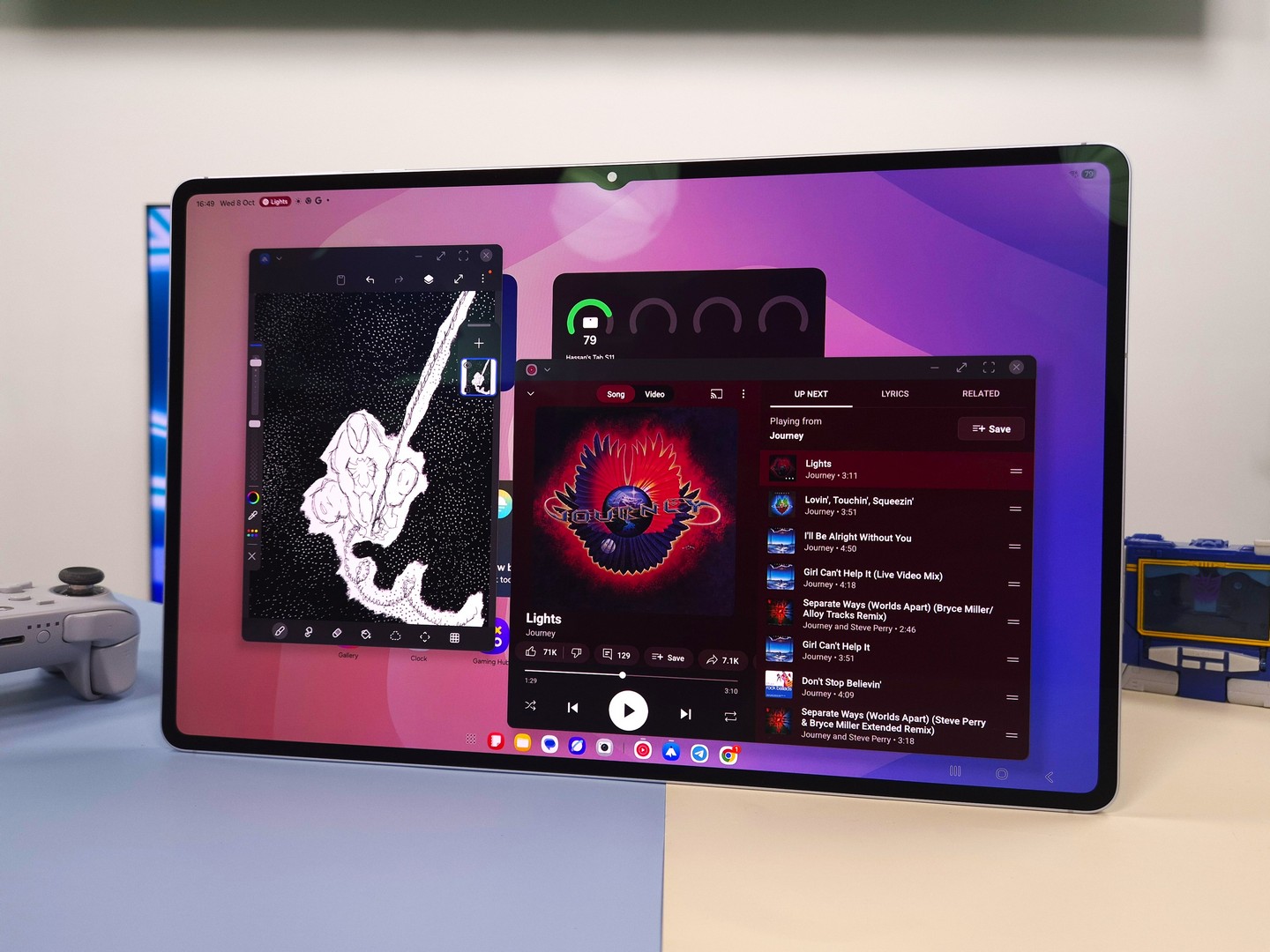
App scaling still isn’t perfect, and not all Android apps are designed for big screens, but Samsung’s workarounds make multitasking far more bearable. DeX, while polished, isn’t a true Windows or macOS replacement. But it’s close, closer than ever before.
S Pen Experience
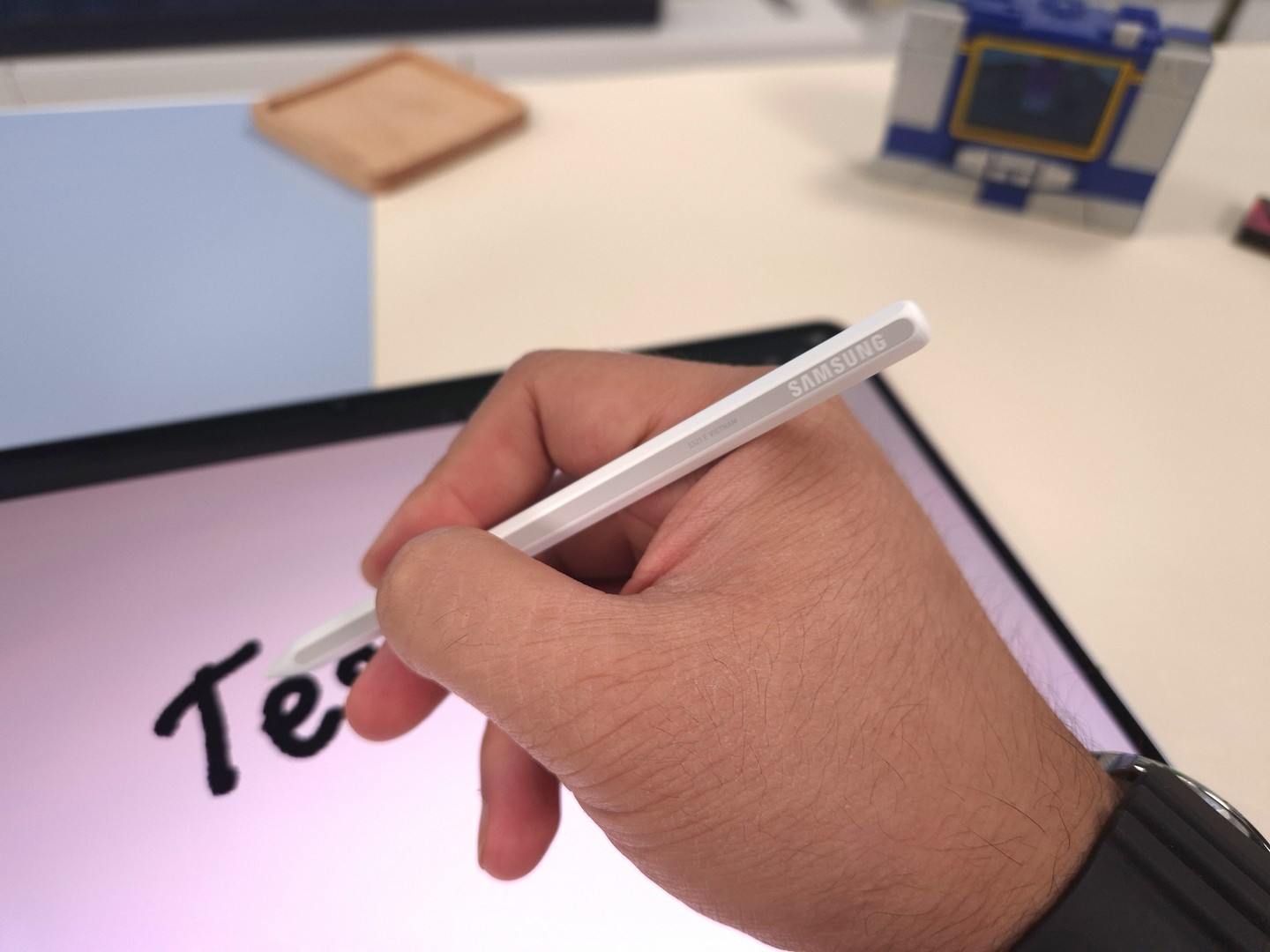
The S Pen is still one of the best stylus experiences you’ll find on any device. The pen feels balanced, the pressure sensitivity is excellent, and the latency is nearly zero. It’s as close to writing on paper as it gets.
This year’s S Pen also has a slight redesign, and honestly, it’s a welcome change. It feels more like an actual pencil now; slimmer, better balanced, and more comfortable to hold for long sessions. Whether you’re sketching or jotting notes, it’s easier on the fingers and feels less like a tech accessory and more like a proper writing tool.
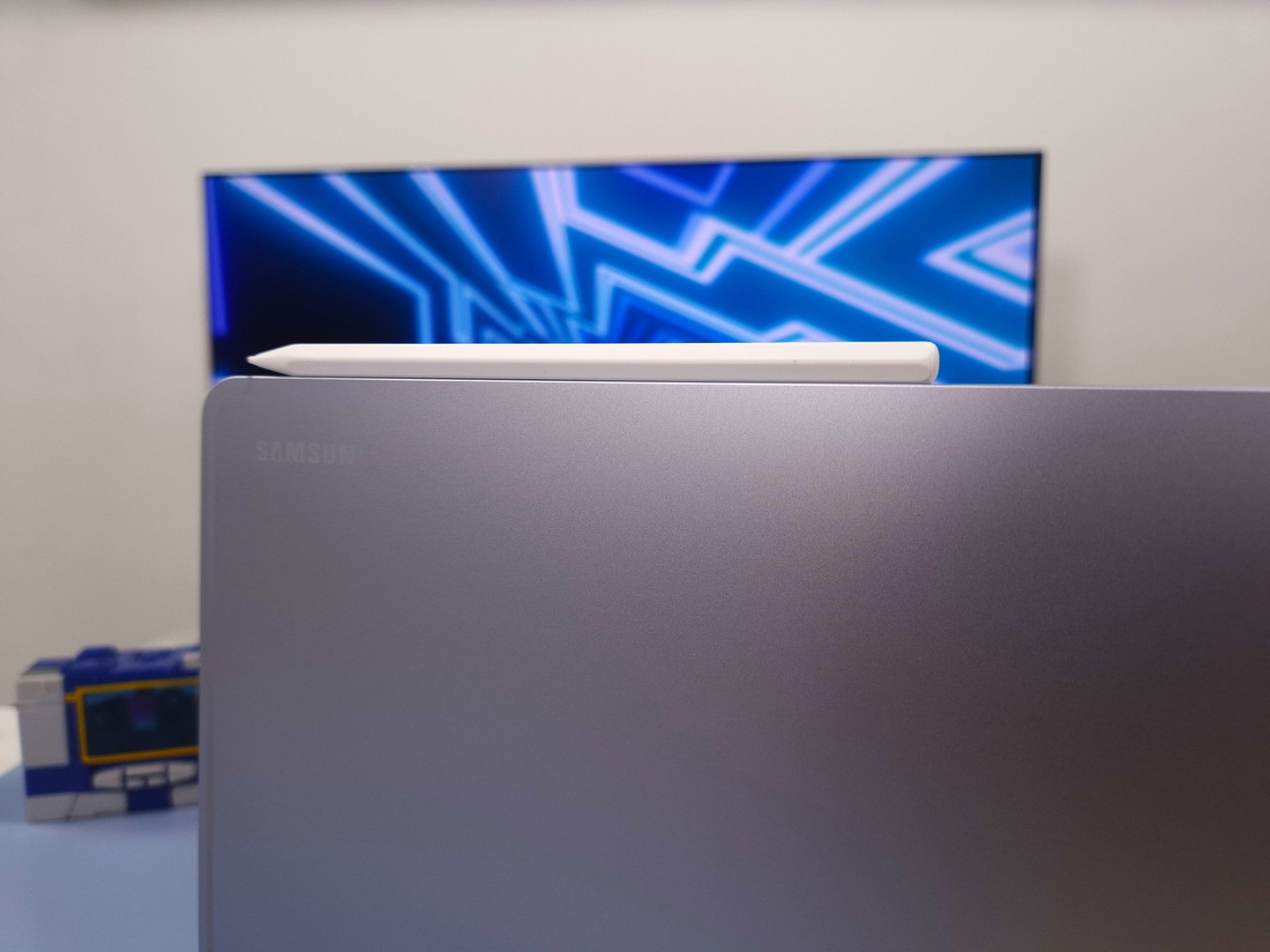
But here’s the thing: while it attaches magnetically to the side of the Samsung Galaxy Tab S11 Ultra, the magnets are surprisingly weak. It looks neat when docked, but it doesn’t take much to knock it loose. I actually had the pen detach itself as I was carrying the tablet to another room, and the tip ended up slightly damaged after hitting the floor. It’s a small but frustrating flaw, especially for a device that costs this much.
That said, Samsung did remove Bluetooth support from the S Pen this year, so no Air Actions or remote shutter tricks. For most people, that’s not a dealbreaker, but if you were used to those extra features, it’s a noticeable omission.
The good news is that Samsung’s AI handwriting tools have improved a lot: instant text conversion, better shape recognition, and faster Smart Select all work beautifully. Combined with the excellent palm rejection, the S Pen still delivers one of the best stylus experiences you’ll find on any device today.
Battery Life and Charging
The 11,200 mAh battery on the Samsung Galaxy Tab S11 Ultra easily lasts a full day of mixed use. With moderate brightness, you can stream, edit, or browse for 10 to 12 hours straight. That’s impressive given the massive screen.
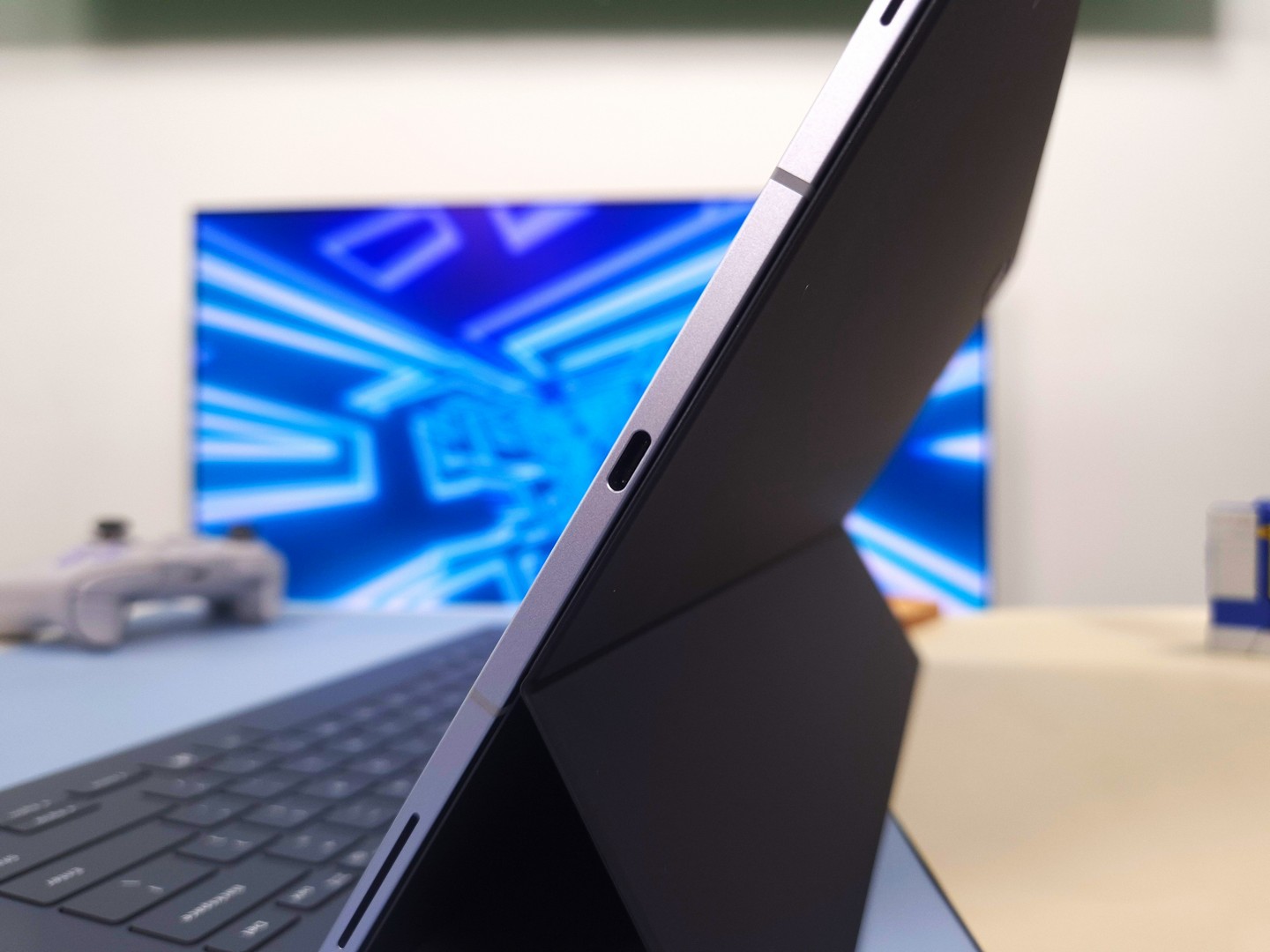
Samsung’s 45W fast charging tops it up in about 90 minutes, though you’ll need to buy the charger separately. It doesn’t overheat, and idle drain is very minimal.
If you mainly use the Samsung Galaxy Tab S11 Ultra for work or school, you’ll easily get through two days of light to medium use. MediaTek’s efficiency really shows here, especially when running multiple background tasks.
Audio and Multimedia
Samsung continues to nail audio on its high-end tablets. The quad-speaker setup tuned by AKG sounds fantastic. It’s loud, full, and surprisingly immersive. The stereo separation is great for movies and games, and vocals stay clear even at higher volumes.
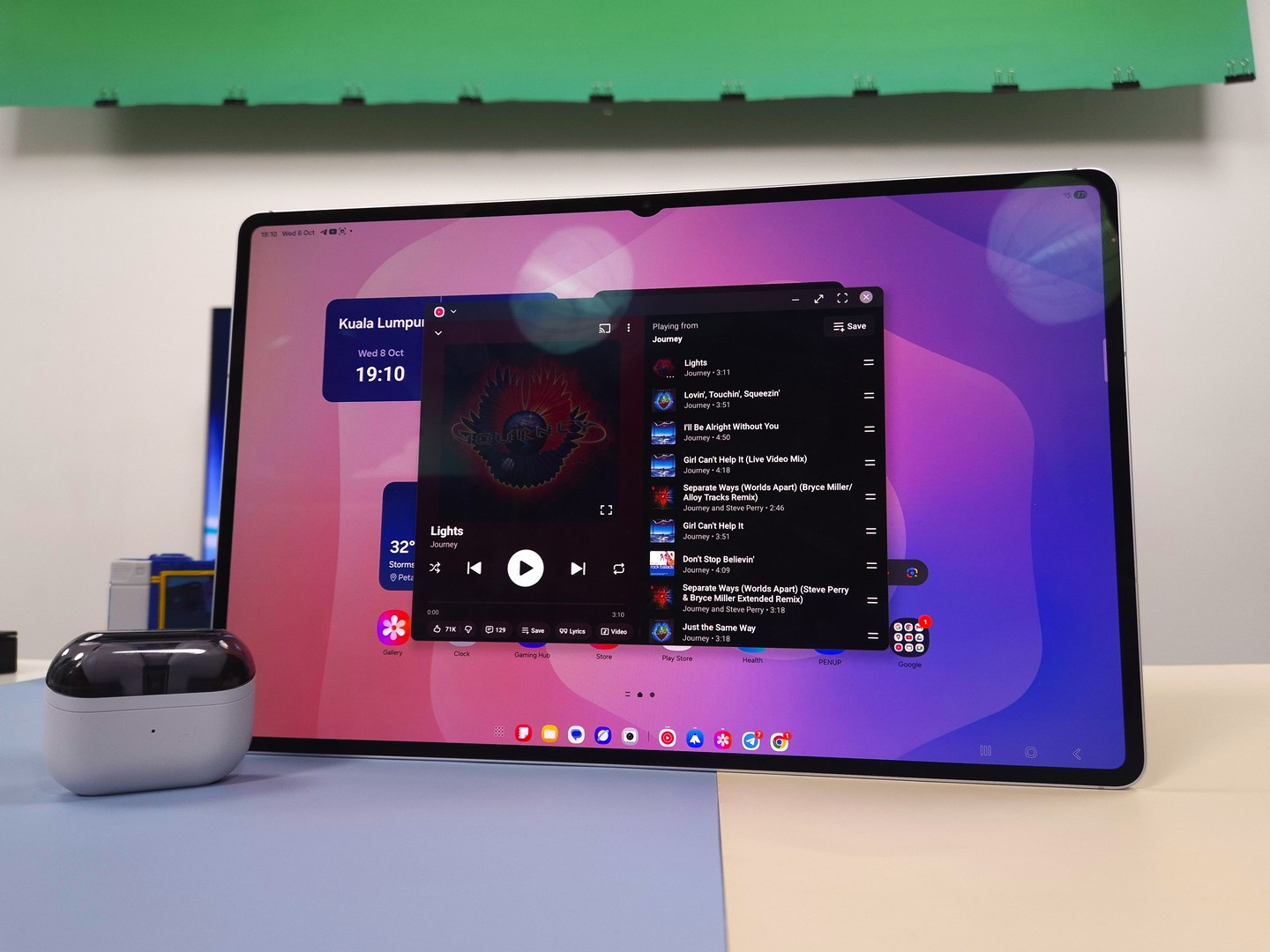
Watching content on the Samsung Galaxy Tab S11 Ultra in landscape mode feels cinematic. Dolby Atmos support gives audio a nice spatial depth, and if you’re using good Bluetooth earbuds like the new Galaxy Buds3 FE, you’ll enjoy clean high-bitrate streaming with minimal delay.
The Samsung Galaxy Tab S11 Ultra is also an amazing companion for content creators. The combination of that gorgeous display and strong audio makes it perfect for editing, reviewing, or presenting work on the go.
Accessories
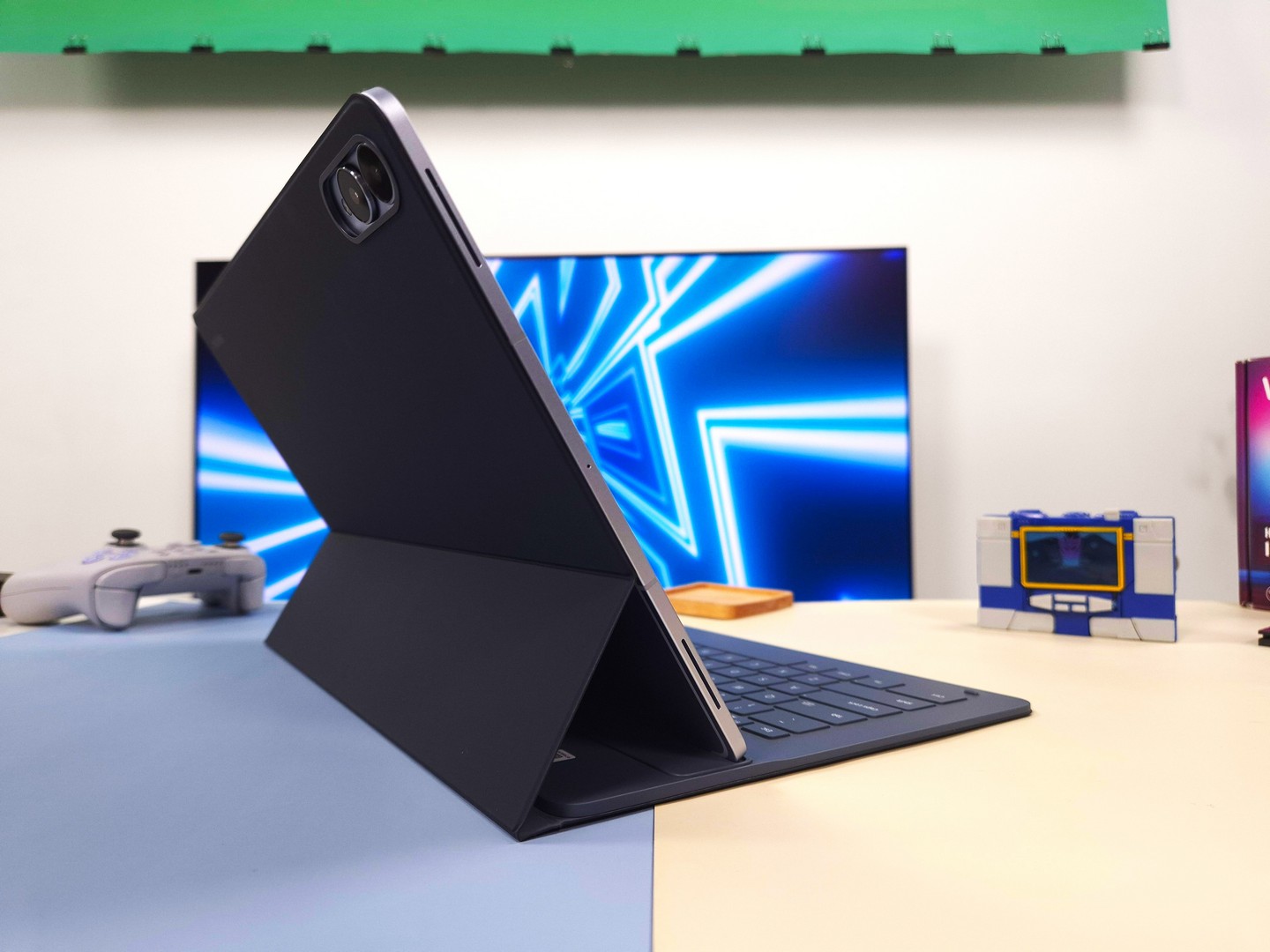
Pair it with the Book Cover Keyboard Slim, and the S11 Ultra transforms into a legitimate workstation. The keys have great travel, the touchpad is responsive, and the hinge lets you adjust to comfortable viewing angles.
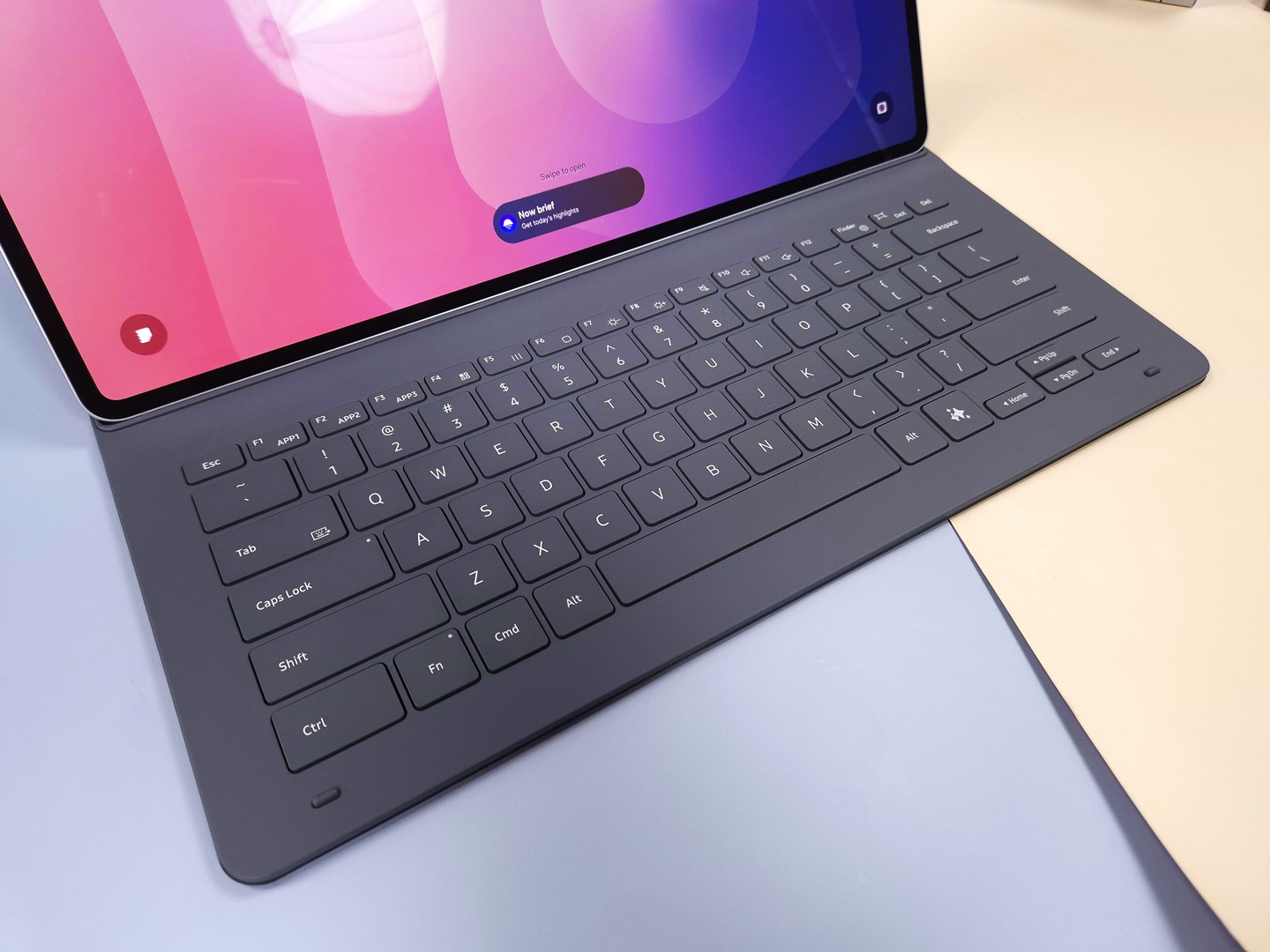
The Malaysian version of the Galaxy Tab S11 Ultra actually comes with the Book Cover Keyboard Slim bundled in, which makes the overall deal much more appealing. The typing experience is fine, but not fantastic; the key travel feels a tad long, and I sometimes found myself almost slamming my fingers just to get consistent input. Still, it’s a serviceable keyboard that gets the job done, and having it included out of the box adds real value to the overall package.
Verdict
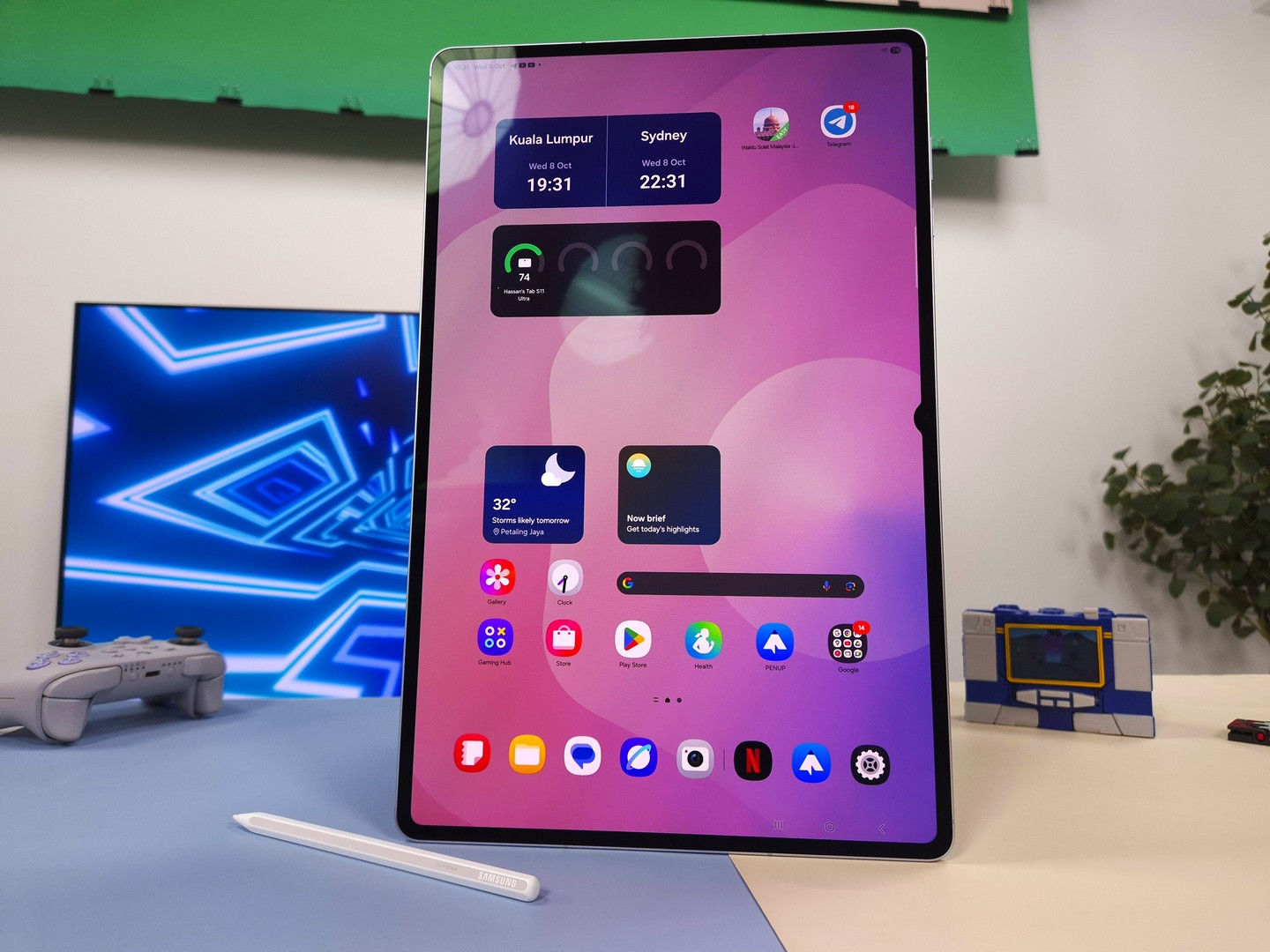
So, can the Samsung Galaxy Tab S11 Ultra replace your laptop?
Almost, but it depends on what you expect for the price.
If I had to sum up the Samsung Galaxy Tab S11 Ultra in one word, it would be unwieldy. It’s big, heavy, and not the kind of tablet you can casually hold for long periods. But that same size also gives you an expansive canvas that’s unmatched for productivity, multitasking, and creative work.
Performance-wise, the Dimensity 9400+ runs everything effortlessly, from video editing to gaming to heavy multitasking. The display is gorgeous, the S Pen is responsive (even if the magnets are frustratingly weak), and the speakers are some of the best you’ll find on a tablet.
What ties it all together is value. In Malaysia, the Galaxy Tab S11 Ultra comes bundled with the Book Cover Keyboard, which adds real practicality and saves you a few hundred ringgit compared to buying it separately. Starting at RM5,499 for the WiFi 256GB model and RM5,999 for the 5G model, it’s not cheap, but when you consider the build quality, display, performance, and bundled accessories, it starts to feel like a complete, premium package.
It’s not the perfect tablet for everyone. It’s too large for casual users and not ideal for those who mainly consume media. But for people who want a serious productivity machine that can replace a laptop when needed, the Samsung Galaxy Tab S11 Ultra hits that sweet spot between power and portability: even if it occasionally tests your wrist strength.
What we love about the Samsung Galaxy Tab S11 Ultra:
- Stunning AMOLED display
- Excellent performance with Dimensity 9400+
- Best-in-class S Pen experience
- Long battery life
- Great sound and ecosystem integration
What could be better on the Samsung Galaxy Tab S11 Ultra:
- Unwieldy size makes it hard to handle
- Weak S Pen magnets
- No Bluetooth on S Pen
- High price limits the value for casual users
- Android is still not fully desktop-ready
You can purchase the Samsung Galaxy Tab S11 Ultra through the official Samsung website or the official stores on Shopee and Lazada.