TL;DR / At a Glance: Introduced at WWDC26 as a core pillar of iOS 27, iPadOS 27, and macOS Golden Gate, Siri AI represents a ground-up reconstruction of Apple’s personal assistant. Shifting away from rigid voice macros, Siri AI operates as a deeply integrated application featuring a dedicated conversational history UI synced via iCloud. The updated engine leverages the next generation of Apple Intelligence to deliver continuous contextual understanding, onscreen awareness of displayed content, real-time visual intelligence via the camera shutter, and system-wide writing tools.
For nearly a decade, interacting with mobile voice assistants has been an exercise in absolute futility. We’ve been stuck using glorified voice-command macros that fail the moment you mispronounce a single syllable, lose pristine network connectivity, or expect the assistant to remember what you said two sentences ago. They have felt less like advanced artificial intelligence and more like clunky, frustrating speed bumps on our premium glass.
At WWDC26, Apple didn’t just tweak its assistant—they completely burned the old code framework to the ground to introduce an entirely rebuilt entity: Siri AI.
| Interface Era | Operational Core Architecture | Real-World System Behavior |
| Legacy Voice Control | Rigid, single-turn phrase matching databases | High latency, zero context retention, constant command failures |
| Modern Siri AI Platform | Multi-modal Apple Foundation Models | Continuous context tracking, screen awareness, live camera intelligence |
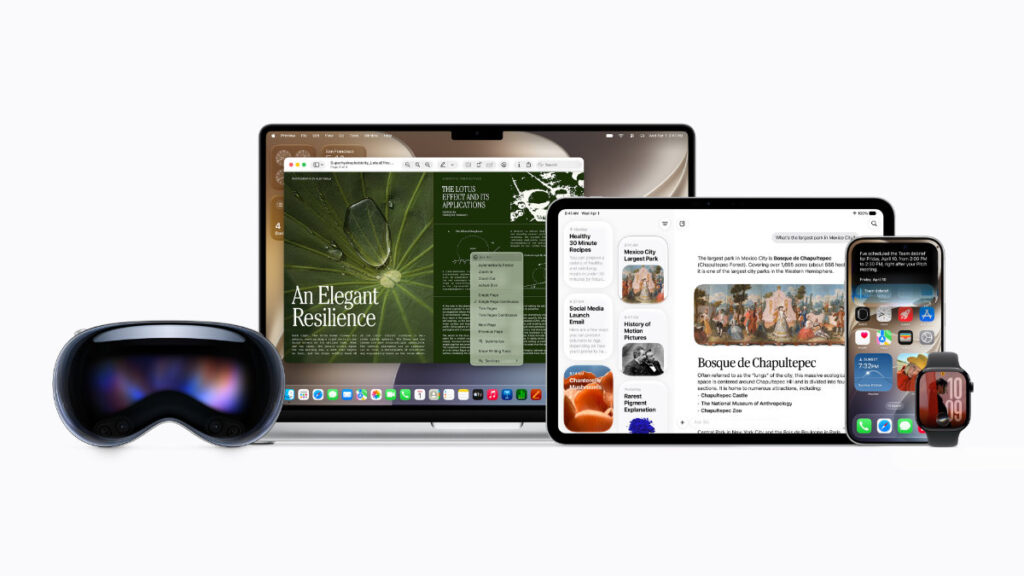
Stitched directly into the core system layer of iOS 27, iPadOS 27, and macOS Golden Gate, Siri AI evolves from a simple screen overlay into a highly conversational, context-aware standalone application. Backed by an advanced system orchestrator, Siri AI moves away from one-shot voice queries to run complex, multi-threaded interactions that seamlessly leverage your local device parameters and broad world knowledge simultaneously.
The Core Siri AI Technology Stack
To build an assistant capable of managing true day-to-day productivity workflows, Apple deployed an intricate matrix of locally accelerated and private cloud-computed technologies.
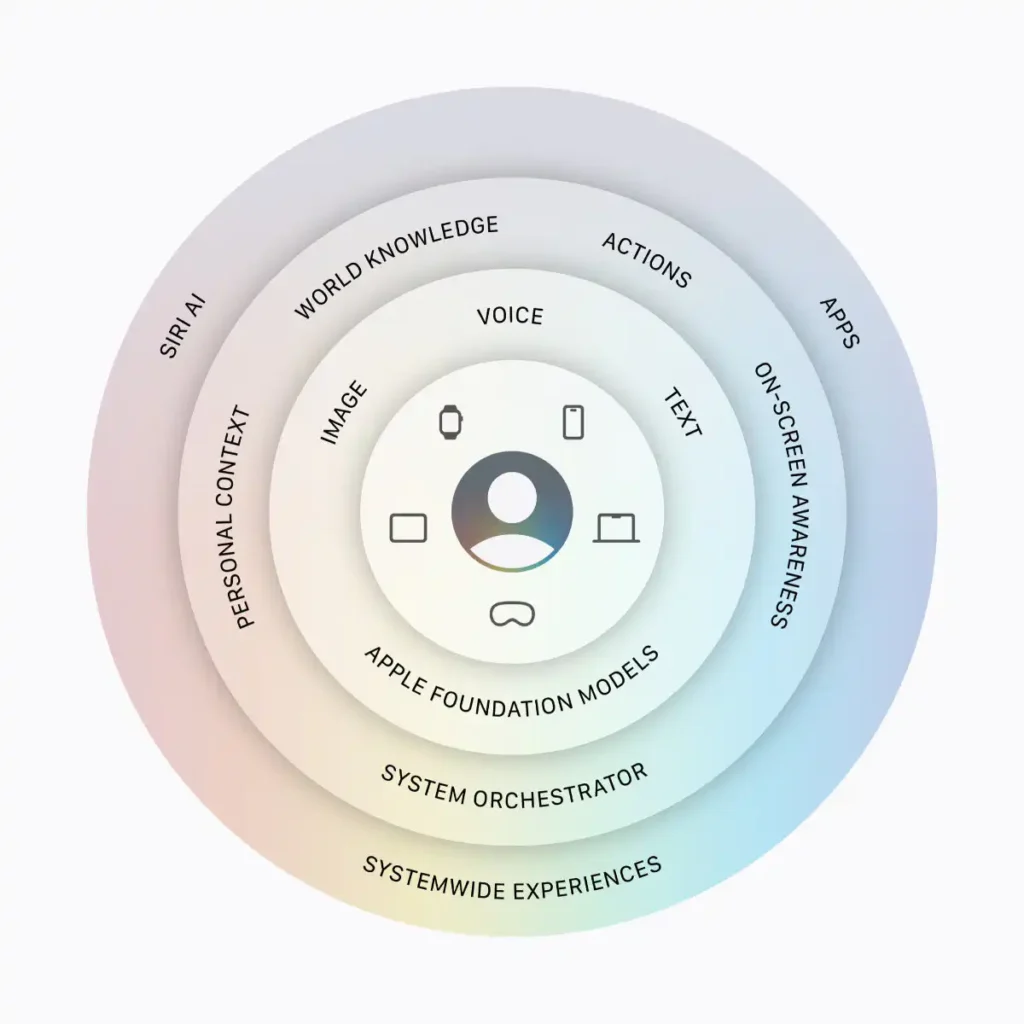
Siri AI System Architecture Blueprint
| Architectural Fabric | System Execution Pipeline | Real-World Workflow Impact |
| System Orcheator Engine | Semantic Spotlight Indexing | Instantly coordinates personal context, safely querying local photos, notes, and communications. |
| Onscreen Awareness Matrix | UI Layout Element Vector Mapping | Analyses elements actively displayed on your panel, allowing you to use onscreen data to route tasks. |
| Visual Intelligence Mode | Shutter-Trigger Camera Analytics | Point your lens at text, documentation, or physical items to extract information or execute actions. |
| Multi-Modal Conversational Core | High-Cap On-Device Audio Synthesis | Generates exceptionally realistic, customizable human speech patterns with fluid, expressive pacing. |
The true engineering masterstroke here is the integration of the semantic index through Spotlight. Instead of blindly scanning for text strings, Siri AI understands the foundational relationships between your files, calendar dates, and chat logs.
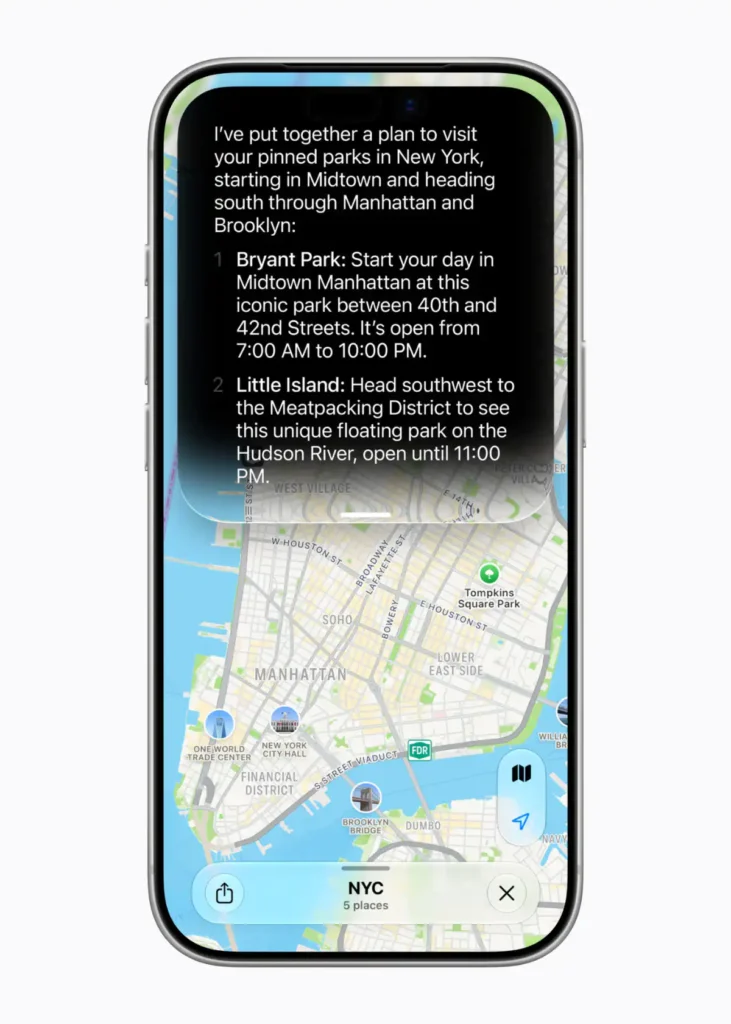
If you ask a question like “Where is Mo’s new place?”, the system orchestrator digs through unstructured messages or emails, locates the un-saved address data, correlates it with real-world geographical coordinates, and maps a complete transit route with zero manual data entry from the user.


Screen Awareness and Live Visual Intelligence
Siri AI shifts the user experience paradigm by introducing a dedicated Visual Intelligence camera layer. By swiping into the brand-new Siri Mode inside the native iOS Camera app, you can let your device see exactly what you see.
Simply tap the shutter button, and Apple Foundation Models running on Private Cloud Compute immediately analyse the frame. Point your lens at a complex itemised restaurant bill, select exactly what you ordered, and Siri AI can instantly split the tab with your friends via Apple Cash.
On desktop landscapes via macOS Golden Gate and iPadOS 27, this manifests as an incredibly powerful screen-aware workflow. Mac users can invoke Visual Intelligence via a dedicated keyboard shortcut, select any content on their display, and type directly to Siri to parse data, compile information, or troubleshoot text on the fly. On iPad, this layer integrates smoothly straight into the native screenshot experience, turning standard screen captures into active computation layers.
Other Little Things
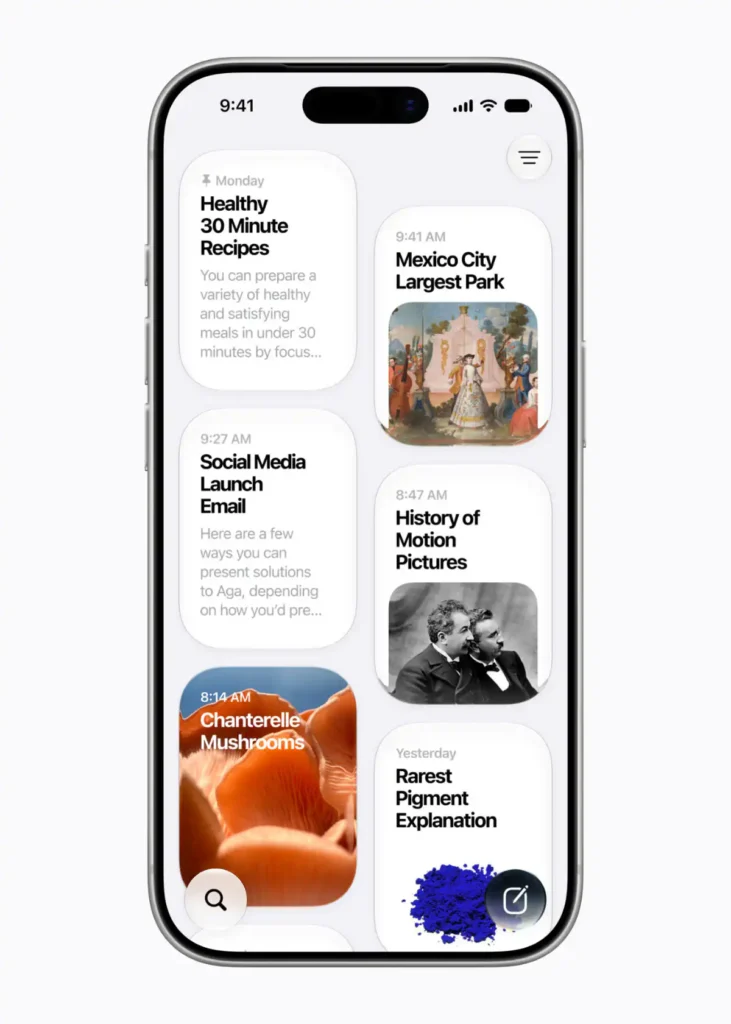
- The Dedicated Siri Application: You no longer lose your AI data when you click away from the assistant interface. A dedicated Siri app stores your complete, synced conversational history across iPhone, iPad, and Mac via private iCloud synchronization.
- Systemwide App Actions: Siri AI can perform tasks deep within software layers. You can command it to draft a complex email from scratch, or execute bulk edits on a batch of raw photos and share them instantly.
- Integrated Writing Tools: Powerful systemwide tools are baked directly into the Siri AI experience. Users can describe an abstract concept in plain language, and Siri will generate a baseline text draft or refine existing text blocks virtually anywhere they type.
- Multi-Device Mobility: Beyond mobile and desktop frames, Siri AI extends seamlessly across the user’s travel hardware ecosystem, including Apple Watch (featuring Smart Stack suggestions to continue recent chats), CarPlay, and AirPods.
Adam Lobo’s Take
Apple has executed a beautiful, highly necessary evolution with Siri AI. By transitioning away from basic voice-gimmick overlays into a robust, context-aware system layer, they have fundamentally redefined how we navigate an operating system.
Having an assistant that can visually parse a physical bill on a table to split a dinner tab, or let you select messy data on your Mac display via a quick keyboard shortcut to get an instant breakdown, is how modern AI features should actually function. It is practical, it runs on device or via secure Private Cloud Compute, and it keeps your personal data entirely out of external tracking loops.
The Siri AI developer beta cycle kicks off today, with a wider user beta landing later this year. For power users who are completely tired of rigid, broken voice commands, this upgrade represents the absolute future of mobile interfaces.
Tell me what you guys think in the comments section below. Are you ready to trade traditional voice searches for Siri AI’s multi-modal screen tracking, or are you keeping the assistant toggled off?
Some notes on availability
- New Siri AI features are available for developer testing starting today through the Apple Developer Program at developer.apple.com, across iOS 27, iPadOS 27, and macOS 27. Siri AI will be available for developer testing in a future watchOS 27 beta.
- Siri AI will be available as a beta later this year for users with a supported device set to English, and Apple will quickly expand support for more languages.
- Apple Intelligence is available with support for these languages: English, Danish, Dutch, French, German, Italian, Norwegian, Portuguese, Spanish, Swedish, Turkish, Vietnamese, Chinese (simplified), Chinese (traditional), Japanese, and Korean. Some features may not be available in all regions or languages. For more details, visit apple.com/apple-intelligence.
- Apple Intelligence and Siri AI in iOS 27, iPadOS 27, macOS 27, watchOS 27, and visionOS 27 are available on iPhone 16 models or later, iPhone 15 Pro, iPhone 15 Pro Max, iPad mini (A17 Pro), iPad models with M1 or later, Mac with M1 or later, Apple Vision Pro, Apple Watch Series 10 or later, Apple Watch Ultra 2 or later, and Apple Watch SE 3 when paired with an Apple Intelligence-enabled iPhone nearby.
- Mac, Apple Watch, and Apple Vision Pro users in the EU will be able to access Siri AI when set to a supported language. Siri AI will not be available initially in the EU in iOS and iPadOS. Apple is working hard to find a path forward that preserves its users’ privacy and security.
- Siri AI and the other new Apple Intelligence features will not be available in China while Apple works through regulatory requirements.