TL;DR / At a Glance: Does Android 17 work with AirDrop and what are its main features? Yes! Starting with Android 17, Google’s Quick Share is natively compatible with Apple’s AirDrop protocol on supported devices like the Pixel 10, with a QR-code cloud workaround for older handsets. The update rebrands Android as an “Intelligence System,” featuring Gemini Intelligence for multi-step task automation, Verified Banking Protection to automatically disconnect scam calls, and Gboard Rambler for AI-refined dictation. Visually, the OS adopts a system-wide Gaussian Blur aesthetic and introduces Generative UI, allowing users to create custom home screen widgets via plain-language prompts.
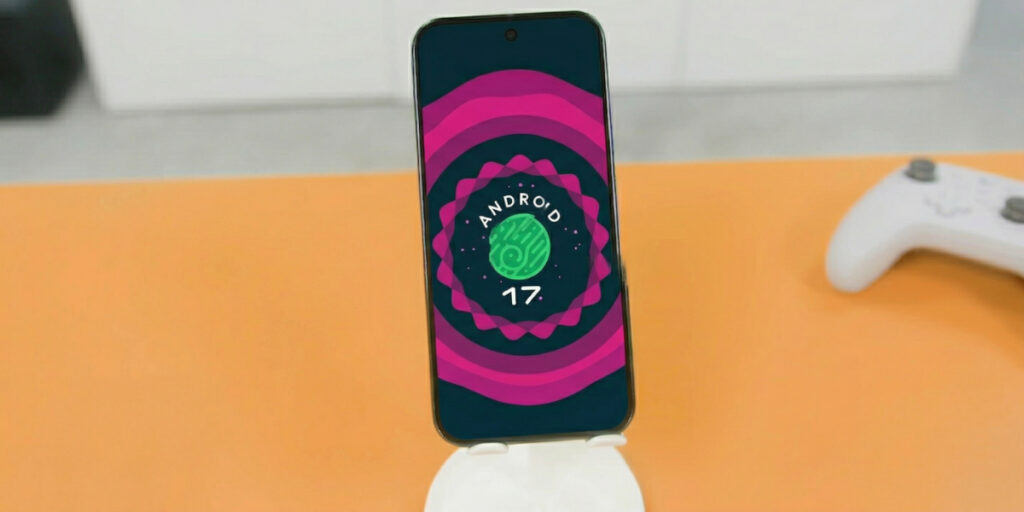
Unveiled at The Android Show: I/O Edition on May 12, 2026, Android 17 represents the most radical shift in the platform’s 18-year history. Google is officially moving away from being a passive operating system and rebranding as an “Intelligence System.”
But the real headline for 2026 isn’t just AI—it’s the fact that Google and Apple have finally started talking to each other.
1. The Great Peace: Quick Share x AirDrop
In a move that caught the industry by surprise, Google has officially flipped the switch on cross-platform file sharing. All I can say is, “freaking finally,” Who do we have to thank for this bilateral cooperation?
- Native AirDrop Support: For the first time, Quick Share on Android is now compatible with AirDrop on iOS. You can now send high-res photos and 4K videos directly between an Android and an iPhone without needing cloud links or third-party apps.
- The Rollout: This direct local transfer starts with the Pixel 10 and Pixel 9 series, with Samsung, OPPO, OnePlus, Vivo, Xiaomi, and Honor confirmed to receive the update later this year.
- The “Bridge” Solution: For older or unsupported Android phones, Quick Share can now generate a QR code. When an iPhone user scans it, the file is transferred instantly via an encrypted cloud tunnel that doesn’t consume your personal Google Drive storage.
2. One-Tap Migration: The Easiest Switch Ever
Google worked directly with Apple to overhaul the iOS-to-Android migration process, largely driven by new interoperability mandates.
- What Moves: It’s no longer just contacts and photos. The new wireless transfer handles passwords, eSIM data, messages, and even your home screen layout—mapping your iOS folders and app positions to their Android equivalents.
- Frictionless: Launching first on Pixel and Samsung Galaxy devices, it makes moving from an iPhone feel as seamless as upgrading to a new iPhone.
3. UI/UX: The “Liquid Glass” Revolution
Android 17 is visually stunning, moving away from flat “Material You” blocks to a more sophisticated “Liquid Glass” aesthetic (to be precise – System-wide Gaussian Blur or Material 3 Expressive Blur; Liquid Glass simply rolls of the tongue better imho).
- Depth & Transparency: System elements like the notification shade and volume sliders now float on a translucent, blurred “glass” layer.
- Generative UI: With “Create My Widget,” you can describe what you need in plain English (e.g., “Make a widget that shows my Grab status and my flight gate”) and Gemini builds it for you.
- Noto 3D Emojis: Say hello to nearly 4,000 highly detailed 3D emojis. They feature physical animations and realistic textures, making your chats feel significantly more tactile.
4. Gboard Rambler: Dictation that Actually Works
Rambler is the AI cleanup crew for your voice. It listens to your messy, fragmented speech—complete with “ums,” “ahs,” and self-corrections—and outputs a perfectly structured, professional paragraph in real-time. Crucially for Malaysia, it handles code-switching (mixing English and BM) without breaking a sweat. It reminds me of what Nothing is attempting with its Perplexity-powered Essential Voice.
5. Proactive Security: The Anti-Scam Shield
- Verified Banking Protection: Real-time AI verifies if a caller is actually from your bank. If the “Digital Handshake” fails, the OS blocks the scam call before it even rings. My home for this is that it will be made available in Malaysia. You know how prevalent scam calls are here.
- Pause Point: To fight doomscrolling, Pause Point adds a mandatory 10-second delay when you open distracting apps. To turn it off? You have to restart your phone—the ultimate “think twice” barrier.
6. New Creator Experience
Social Media & Content Creation
- Screen Reactions: A new built-in feature that lets you record your screen and yourself simultaneously. This allows for seamless reaction videos with your face overlaid directly onto clips or comment sections without needing third-party apps. (Launching first on Pixel devices this summer).
- Optimised Instagram Integration: Google worked with Meta to bring high-end camera features directly into the Instagram app:
- Ultra HDR Capture & Playback: Ensures vibrant colors and high dynamic range for posts.
- Built-in Video Stabilization: Smooths out shaky footage while walking or moving.
- Night Sight Integration: Better low-light photo and video quality directly within Instagram.
- Quality Parity: A new “Capture-to-Post” pipeline ensures that video uploaded from Android flagships now scores the same or better than competitors on the Universal Video Quality (UVQ) model.
- Large Screen Optimisation: Instagram is now fully optimized for Android tablets, utilizing the extra screen real estate for easier editing and browsing.
AI-Powered Editing (Edits App)
- Smart Enhance: A one-tap tool that uses on-device AI to instantly upscale and polish the visual quality of photos and videos.
- Sound Separation: An AI audio tool that identifies and separates different audio tracks. You can boost your voice while removing background wind, noise, or music from a clip.
Pro-Grade Tools & Formats
- Adobe Premiere for Android: The full Adobe Premiere app is coming to Android soon, featuring exclusive templates and effects specifically for creating and posting YouTube Shorts.
- Advanced Professional Video (APV): A brand new, highly storage-efficient pro video format co-developed with Samsung. It uses hardware acceleration on the Snapdragon 8 Elite Gen 5 (available on the S26 Ultra and vivo X300 Ultra) to provide professional-grade footage without massive file sizes.
Read all about Android 17’s new creator experience features here.
🚀 The Adam Lobo Take: The Walls are Crumbling
The Quick Share x AirDrop news is the biggest ‘Quality of Life’ win for Android in a decade. No more “Can you Telegram me that video?” or blurry WhatsApp media. But look at the One-Tap Migration—Google is making it so easy to leave the iPhone that the ‘Walled Garden’ is starting to look like a backyard with no gate.
Android 17 is fast, it’s gorgeous with that Liquid Glass UI, and it’s finally playing nice with the other side. If you’ve been on the fence about switching, 2026 is the year the grass actually got greener on this side.