TL;DR / At a Glance: What is Nothing Essential Voice? Essential Voice is a new AI-powered speech-to-text tool from Nothing. It uses Gemini 3 Flash to automatically remove filler words from voice dictation. It is rolling out now to the Nothing Phone (3), followed by the Phone (4a) Pro in late April and the Phone (4a) in early May 2026. Key features include Personal Mappings for custom voice shortcuts.
Nothing has never been a brand to do things halfway. While competitors often treat software updates as mere bug-fix cycles, Carl Pei’s outfit treats them as a chance to redefine the user interface. Their latest innovation, Essential Voice, is no exception. Initially announced as a community-driven experiment, it has now officially begun its rollout starting with the Nothing Phone (3), with the Phone (4a) Pro following later this month and the standard Phone (4a) in early May.
The Evolution of the Glyph Ecosystem
For years, critics argued that the Glyph Interface was little more than a visual gimmick—a series of flashing LEDs that looked impressive at a local café but offered little real-world utility beyond a timer or a volume indicator. Essential Voice changes that narrative. By integrating deep AI processing with the Nothing OS ecosystem, Nothing is moving toward a frictionless communication model.
It isn’t just about recording audio; it’s about the philosophy of essentialism. In a world where we are bombarded by notifications and low-quality automated content, Nothing is using the Gemini 3 Flash model to ensure that when you speak to your phone, the output is as polished as if you had spent ten minutes editing it yourself.
Real Talk: Dictation That Doesn’t Embarrass You

We’ve all been there: you’re walking through a busy street in Bukit Bintang, trying to dictate an urgent message to a client. Between the traffic noise and your own natural stutters, the resulting text is usually a mess of filler words and misinterpreted slang.
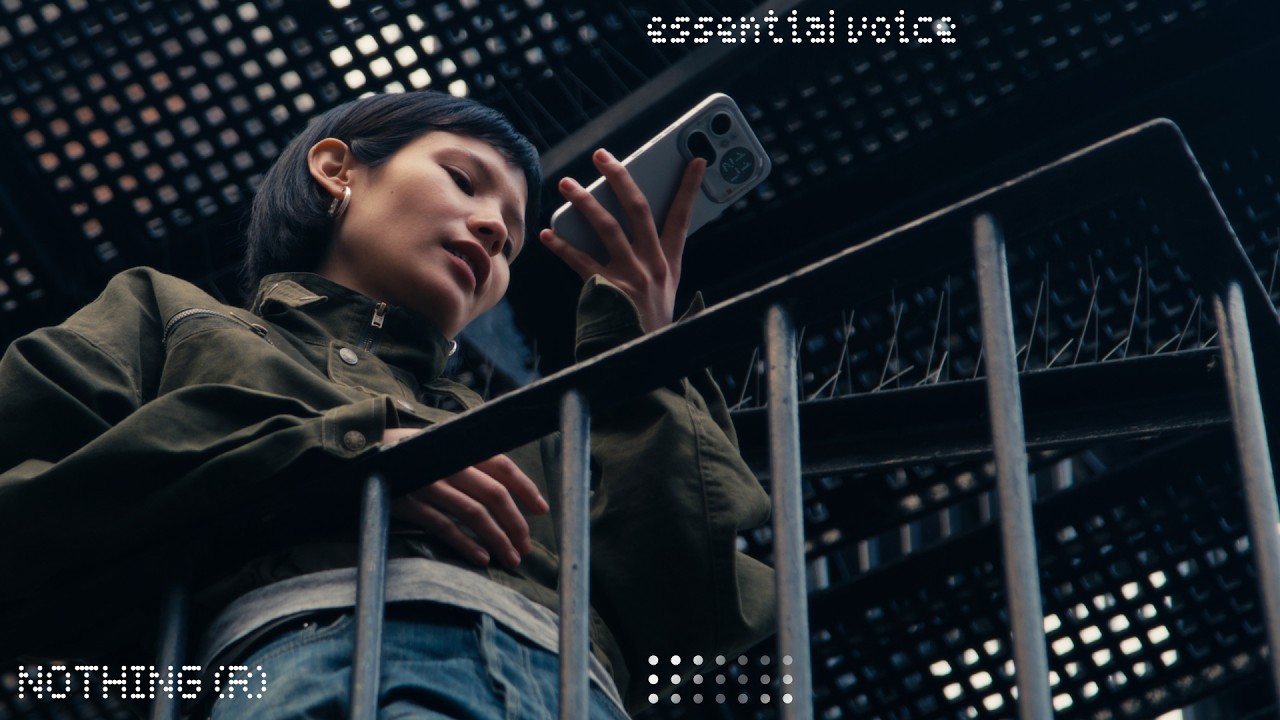
Essential Voice acts as your personal editor in real-time. The AI identifies hesitations like um and ah, stripping them away to leave behind a concise, professional transcript. For the modern creator or professional, this is a massive productivity gain. It allows for a rapid brain dump of ideas that are instantly formatted into readable text.
Translation

Personal Mappings: The Sleeper Hit

While the clean-up feature gets the headlines, the true power user tool is Personal Mappings. This allows you to hard-code voice shortcuts that trigger complex text strings or actions. Imagine saying meeting notes template and having the phone instantly populate a pre-formatted structure in your notes app.
This level of customisation bridges the gap between the speed of speech (roughly 150 words per minute) and the precision of physical typing. By mapping these to the physical button on the Nothing Phone (3), the brand is making a strong case for the return of dedicated hardware-software synergy.
The Staggered Rollout: Why It Matters
Nothing’s decision to lead with the Phone (3) is a classic flagship-first strategy, ensuring their most powerful hardware handles the initial AI load. However, the quick follow-up for the Phone (4a) Pro and Phone (4a) indicates that Nothing isn’t gatekeeping accessibility.
For the Malaysian market, where the Phone (4a) series has seen significant trust equity due to its aggressive pricing, this update is a huge value-add. It proves that buying a mid-range Nothing phone doesn’t mean you’re left behind on the latest AI innovations.
The Connectivity Caveat (The Mamak Test)
However, it wouldn’t be an honest assessment if I didn’t point out the potential hurdles. Currently, Essential Voice requires an active internet connection to leverage the cloud-based AI processing. In areas with spotty 5G or inside a shielded basement car park, the intelligence of the feature drops back down to standard on-device dictation.
Furthermore, while the noise suppression is impressive, the Mamak Test—trying to dictate over the sound of a football match and clinking glasses—remains the ultimate challenge. Nothing has made strides in mic isolation, but the software can only do so much if the raw audio input is drowned out by environmental noise.
Conclusion: A Narrative Shift
With Essential Voice, Nothing is moving away from being the aesthetic choice and toward being the smart choice. They are competing directly with Google’s Pixel-exclusive features, and in many ways, surpassing them by making the interface feel more human.
Whether you’re on the flagship Phone (3) today or waiting for the (4a) update in May, one thing is clear: Nothing is making sure that in the age of AI, your voice is finally being heard—minus the stutters.
Nothing Essential Voice: Frequently Asked Questions
What exactly is Nothing Essential Voice?
Essential Voice is a smart dictation tool powered by AI (specifically the Gemini 3 Flash model) that helps users record and transcribe speech. Unlike standard dictation, it automatically filters out filler words like “um,” “uh,” and stammers, providing a clean, professional text output that is ready to be sent or saved.
Which Nothing phones support Essential Voice?
The rollout follows a specific timeline:
Nothing Phone (3): Rolling out now.
Nothing Phone (4a) Pro: Scheduled for late April 2026.
Nothing Phone (4a): Scheduled for early May 2026.
What are Personal Mappings?
Personal Mappings are custom voice shortcuts. You can program specific phrases—such as “office address” or “bank details”—to instantly trigger the insertion of longer, pre-saved text strings. This allows you to bypass repetitive typing entirely.
Do I need an internet connection to use Essential Voice?
Yes. To perform the advanced AI “cleaning” and processing of your speech, Essential Voice currently requires an active internet connection to communicate with Nothing’s cloud-based AI servers.
Does this replace the standard Google Assistant or Gboard dictation?
No, it acts as an additional high-level utility within Nothing OS. While you can still use standard dictation, Essential Voice is designed for users who want a more polished and structured output for professional or lengthy communications.
How do I trigger Essential Voice?
On supported devices, Essential Voice can be mapped directly to the Essential Key (the physical side button), allowing you to start dictating instantly without needing to navigate through menus.